Teams Governance: Best Practices for Lifecycle & Data Security
Elevate your Teams governance with best practices for lifecycle management, data security, and governance policies. Includes templates for optimal control.
“Microsoft 365 doesn’t fail because of technology—
it fails without governance.” - Mirko Peters
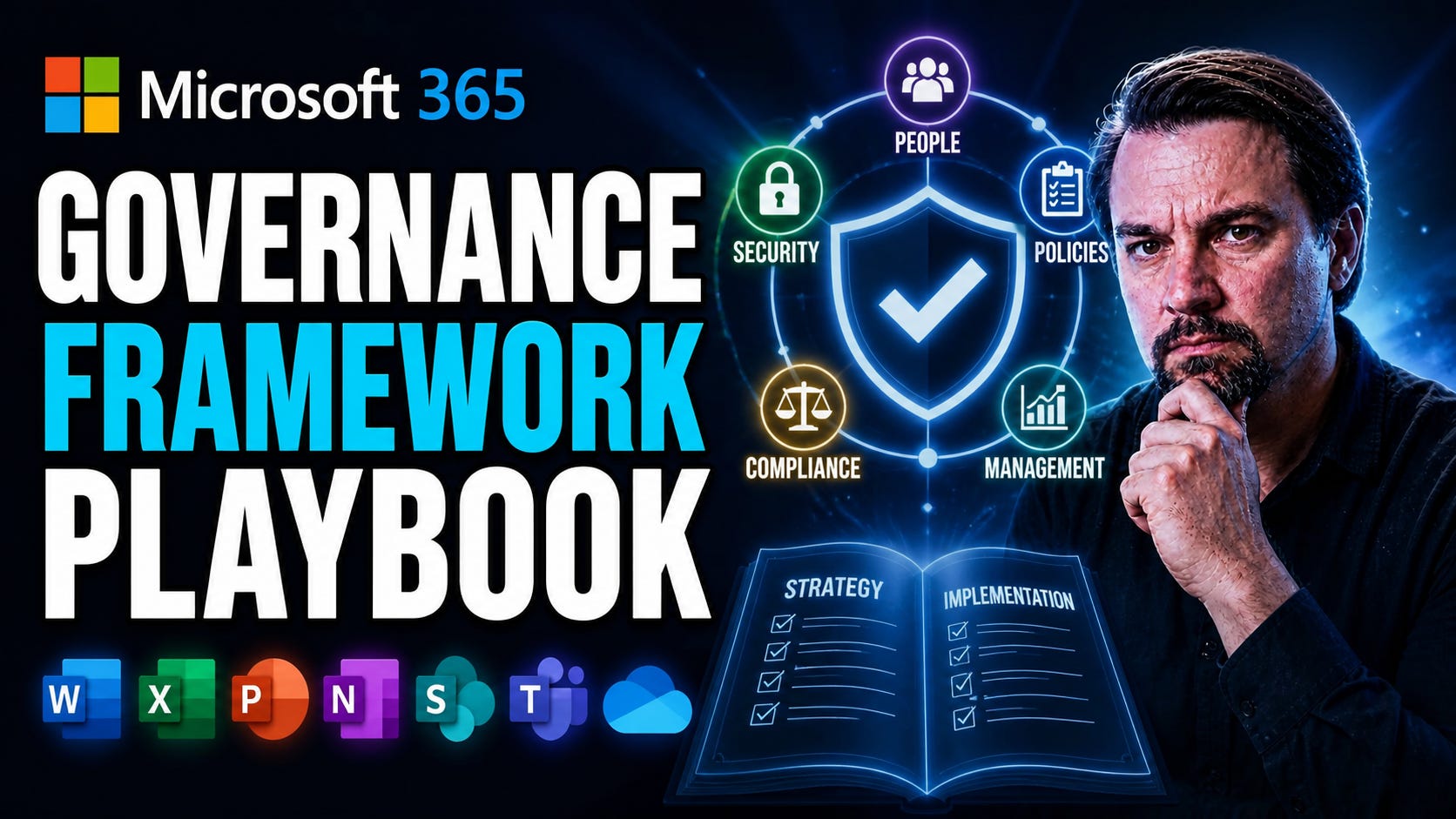
Microsoft 365 Governance Framework Playbook
This playbook provides a comprehensive guide to building and operationalizing a Microsoft 365 governance framework. Learn real-world strategies for managing identities, securing collaboration, enforcing compliance, and supporting AI investments with actionable templates and examples. Explore practical approaches for addressing today’s challenges: data protection, Copilot risk, third-party integrations, and the complexities of managing governance across multiple tenants during mergers or divestitures. Based on Microsoft’s latest best practices and field expertise, these sections are designed to help you cut through confusion and achieve lasting, scalable success—whether you’re just starting your governance journey or strengthening an existing program.
Definition of Microsoft 365 Governance
Microsoft 365 governance is the set of policies, processes, roles, and controls established to manage and secure an organization’s Microsoft 365 environment—ensuring compliant, consistent, and efficient use of services like Exchange, SharePoint, OneDrive, and Microsoft Teams.
Short explanation: Effective Microsoft 365 governance balances security and compliance with user productivity by defining ownership, access controls, data lifecycle management, naming and provisioning standards, monitoring and reporting, and change processes. A focused governance program reduces risk, enforces regulatory requirements, simplifies administration, and supports adoption—often documented in artifacts such as a microsoft teams governance playbook to govern team creation, membership, data classification, retention, and external sharing.
Microsoft Teams Governance Playbook: 8 Surprising Facts about Microsoft 365 Governance
These surprising facts highlight considerations to include in your Microsoft Teams governance playbook and broader Microsoft 365 governance strategy.
Governance isn’t just IT — it’s cross-functional. Effective Microsoft 365 governance requires HR, legal, compliance, security, and business owners to collaborate; leaving it to IT alone often fails to address data lifecycle, retention, and legal hold needs.
Default settings matter more than you think. Out-of-the-box settings for Teams, SharePoint, and Groups can rapidly create sprawl; a Microsoft Teams governance playbook that defines sensible defaults and provisioning policies prevents chaotic growth.
Role-based governance reduces risk without slowing users. Using role-based access control (RBAC) and delegated admin roles in Microsoft 365 balances security and productivity more effectively than blanket Admin Center permissions.
Templates and provisioning automation cut lifecycle costs dramatically. Automated team and site provisioning with templates enforces naming, classification, sensitivity labels, and retention at creation, reducing manual clean-up later.
Sensitivity labels can enforce encryption, sharing, and retention centrally. Properly applied sensitivity labels in Microsoft 365 govern Teams, SharePoint, and Exchange behavior — making them a powerful tool in your governance playbook when aligned with business classification.
Governance must include discoverability and knowledge management. Without policies for metadata, taxonomy, and hub sites, Microsoft 365 becomes a siloed mess; governance that improves findability increases adoption and reduces duplicate content.
Monitoring and usage signals are essential for policy tuning. Audit logs, usage analytics, and content lifecycle reports reveal real-world behavior; a Microsoft Teams governance playbook should define monitoring KPIs and review cadences to adjust policies.
Good governance improves security posture and user experience simultaneously. Well-designed governance reduces shadow IT, enforces least privilege, and provides clear self-service paths — yielding both stronger compliance and happier users.
Understanding the Microsoft 365 Governance Framework
Let’s start with the basics: Microsoft 365 governance isn’t just about setting some IT rules and calling it a day. Today, data security and productivity mean every organization—no matter its size—needs a clear, intentional governance framework. This foundation goes way beyond toggling a few compliance switches; it’s about integrating policies, processes, and people to keep your digital workplace safe, compliant, and productive.
Modern governance also recognizes that the old days of locking everything down through IT alone are over. What’s changed? Cloud adoption, remote work, and AI-driven tools have swept in a new era of self-service, putting more power (and responsibility) in end users’ hands. It’s not just about controlling risk; it’s about empowering people to work safely without missing a beat.
The truth is, relying on native Microsoft 365 controls isn’t enough. You need deliberate design, well-documented policies, and clear ownership to turn potential chaos into lasting structure. This section lays out those ideas and addresses mindset shifts—from traditional IT oversight to shared responsibility models. For a deeper dive into why governance isn’t automatic and the need for structured approaches, check out this discussion on the real illusion of Microsoft 365 governance. Ready? Let’s dig into what governance means and why it matters.
What Is Microsoft 365 Governance and Why It Matters
Microsoft 365 governance refers to the combination of policies, processes, and controls that manage how data, users, and resources are used across the platform. At its core, it helps organizations safeguard sensitive data, manage user access, and stay compliant with legal or regulatory requirements.
Without clear governance, it’s easy for collaboration sprawl, identity drift, or compliance mistakes to sneak in—leading to real business risk. Well-designed governance brings both consistency and trust to the way people work. For example, setting up strong policies and accountability has been shown to reduce costly errors and data leaks. And if you want to see why initiatives sometimes fail, give this breakdown of governance pitfalls a look. It’s a great reality check before you try to build your own system.
The Evolution of M365 Governance Self-Service
Traditionally, IT held tight control over collaboration tools and security. But Microsoft 365’s shift to the cloud—with its smorgasbord of Teams, SharePoint, and Power Platform apps—has transformed governance into a team effort. Self-service means employees create teams, share docs, and integrate external apps often without a ticket to IT.
That empowerment is fantastic for speed and innovation. But it also heightens the risk of shadow IT, accidental leaks, and inconsistent compliance. This is why a shared responsibility approach is crucial, balancing user freedom with structured oversight. As your organization’s environment grows more complex, you need checks and automation in place to keep things steady. Real governance today is a blend of support, monitoring, and accountability—grounded in the broader move toward business-driven technology adoption.
Common Mistakes People Make About the Microsoft 365 Governance Framework
This list is useful when building a microsoft teams governance playbook and broader Microsoft 365 governance strategy.
Thinking governance is a one-time project: Treating governance as a one-off implementation instead of an ongoing program that requires maintenance, reviews, and updates as the organization and platform evolve can hinder effective teams implementation.
Focusing only on policies, not adoption: Creating detailed policies without addressing user adoption, change management, training, and support, which leads to low compliance and workarounds.
Centralizing everything: Overly centralized control that blocks valid business scenarios and frustrates users instead of using a balanced model with clear guardrails and delegated responsibilities.
Neglecting business stakeholder involvement: Designing governance solely by IT without engaging business owners, security, legal, and compliance teams, resulting in policies that don’t match business needs.
Ignoring lifecycle management: Failing to define provisioning, naming, classification, retention, and deprovisioning processes for Teams, SharePoint, Groups, and other artifacts.
Poor naming and metadata strategy: Not enforcing naming conventions, classification tags, or metadata requirements, which makes discovery, reporting, and lifecycle actions difficult.
Missing role definitions and ownership: Not specifying who owns resources, who can approve requests, and who is responsible for compliance and remediation tasks undermines governance in teams.
Underestimating data protection needs: Overlooking sensitivity labeling, DLP, encryption, and conditional access policies that protect sensitive information across Teams and other workloads.
Relying only on technical controls: Expecting technology alone to enforce behavior without governance processes, training, or periodic audits to validate effectiveness.
Not monitoring and measuring: Lacking telemetry, reporting, and KPIs to measure governance effectiveness, usage patterns, security incidents, and policy compliance.
Overcomplicating governance rules: Creating overly complex rules and approval workflows that delay productivity and encourage shadow IT.
Ignoring compliance and legal requirements: Not mapping governance to regulatory obligations (e.g., retention, eDiscovery, audit trails), which can expose the organization to legal risk.
Poor integration across workloads: Treating Teams, SharePoint, OneDrive, Exchange, and Azure AD in isolation instead of creating an integrated governance model that accounts for cross-workload interactions.
Failing to plan for scale: Using manual or ad-hoc processes that can’t scale as the organization grows, leading to inconsistent governance and increased risk.
No incident response or remediation plan: Lacking defined processes for responding to policy breaches, security incidents, or data sprawl, resulting in slow or ineffective remediation.
The Six Pillars of Microsoft 365 Governance
To build Microsoft 365 governance you can count on, it helps to break down the landscape into six key pillars. These pillars cover the most critical aspects, including managing who gets access, defending sensitive information, enabling secure collaboration, enforcing compliance, maintaining a strong security posture, and tackling new risks introduced by AI tools like Copilot.
Each pillar supports a major piece of the overall governance puzzle. By understanding their interconnected role, you set yourself up for a holistic strategy that doesn’t leave blind spots or weak areas—especially when your business faces complex scenarios like mergers or regulatory changes. Ahead, we’ll tackle each domain with practical advice, strategic context, and links to resources for deeper learning.
Throughout, you’ll see that effective governance relies on mixing well-defined controls, automation, clear communication, and user training. With these pillars in place, you’re prepared to address not only everyday operations but also new threats and evolving business demands. Ready to take on each critical domain? Let’s jump in.
Access Governance Controls and Identity Management
Good access governance means controlling who can see and do what inside your Microsoft 365 tenant. That covers employees, guests, and service accounts—each with different needs and risks. Mechanisms should include strong permission settings, regular access reviews, and conditional access rules to manage sign-ins from risky devices, locations, or networks.
Tools like Microsoft Entra ID help you keep tabs on user and guest access while enforcing least-privilege principles, making sure people only have the rights they need—no more, no less. And don’t underestimate the risk of letting external sharing run wild. Setting up review loops and ownership checks can stop orphaned accounts and stale access before they threaten security. Need more on handling access and ownership? Dig into these best practices for securing access.
Keep in mind, identity isn’t static—over time, exceptions and legacy permissions create “identity debt,” making policies weaker and unpredictable. That’s why it’s smart to set up ongoing reviews and remediation loops. For tips on tackling conditional access sprawl and enforcing clean policies at scale, this episode on Entra ID as a security anchor is eye-opening.
Pillar Protection Using Microsoft Purview
Data protection in Microsoft 365 rests heavily on Microsoft Purview, which offers data classification, sensitivity labels, encryption, and policy automation. Purview lets you discover, label, and protect sensitive data—spanning Teams, SharePoint, and OneDrive—so you’re not relying on memory or luck to keep information secure.
Sensitivity labels (think “Confidential,” “Internal Only,” etc.) work across workloads, ensuring consistent handling of files no matter where they circulate. With DLP (Data Loss Prevention) baked in, you can automatically block risky activity—like emailing credit cards out of the company—or flag suspicious movement for review. And as you automate policies, you reduce errors and keep up with compliance needs, even in fast-moving environments.
Need help setting up DLP? Get practical guidance in this walkthrough on Microsoft 365 DLP basics. To avoid chaos in document management within teams without proper governance. see how Purview shields sensitive data and supports a healthy compliance culture.
Collaboration Governance Practices in Microsoft 365
Collaboration governance boils down to setting boundaries for how groups, teams, and communications are created and managed. That includes controls on team creation, naming conventions, guest and external access, and app approvals. If you’re not careful, teams and groups can quickly sprawl—leading to lost data, compliance drift, and headache-level confusion.
Best-practices pair strong governance policies with automation and user training. For instance, a team can only be created through a request process, where naming is standardized and external sharing is tightly managed. Even with all that in place, you’ll want to automate renewals and expiration, and give users easy, low-friction paths to compliance.
For a smart Teams governance playbook, check out these strategies for lifecycle automation. And to see why the Teams Admin Center is not your silver bullet, read why upstream identity and compliance models matter more for true governance.
Compliance Retention Pillar and M365 Compliance Guide
Compliance retention is about keeping the right data for the right amount of time—no more, no less—so you meet legal, industry, or internal requirements. Microsoft 365 makes this possible with policies, retention labels, and lifecycle controls for everything from emails to Teams messages and SharePoint files.
Setting up compliance means mapping requirements to practical rules: Who must be kept? For how long? What counts as sensitive versus routine? You can build step-by-step policies with built-in tools, and monitor results with dashboards or automated reports. This comes in handy for regulated fields or during legal holds, but works for all organizations needing certainty and control.
If you want to get granular, see how Defender for Cloud brings automation into compliance monitoring. And to understand why more than just ticking policy boxes matters, this guide on compliance drift uncovers hidden gaps you may be missing.
Pillar Security Posture and Risk Management
Security posture is your organization’s real-time ability to prevent, detect, and respond to threats in Microsoft 365. You’ll use threat analytics, automate risk detection, and respond swiftly to incidents—all while making sure controls reflect security benchmarks and business risks.
Tools like Microsoft Defender and Entra ID control access, protect endpoints, and flag suspicious activity. Automated risk detection, such as alerting on consent phishing or OAuth abuse, keeps up with today’s smarter attacks. Meanwhile, aligning with established security frameworks means you’re always one step ahead—patched, compliant, and audit-ready.
If you’re looking for an actionable guide, this plain-English breakdown of securing M365 without user complaints is full of practical steps. Want to see what real-world breaches look like? This episode on the M365 attack chain and OAuth abuse makes it crystal clear where risks live and how to snuff them out.
Copilot Governance Pillar, Permission Amplification, and Usage Monitoring
AI and Copilot tools are game-changers, but they also expand your attack surface. The Copilot governance pillar tackles the risks unique to AI: broad permission amplification, hard-to-track data exposure, and the challenge of monitoring what AI sees, creates, or shares. Enterprises must set rules for role assignments, permission boundaries, and strict usage monitoring—ensuring sensitive data stays safe and AI actions are traceable and compliant.
Key steps include least-privilege access for AI connectors, DLP and sensitivity label extensions to Copilot outputs, and continuous monitoring using Purview Audit and Sentinel. Policy controls—like blocking risky connectors or requiring explicit consent—lower the odds of accidental leaks or non-compliant AI outcomes.
For real-world enforcement, see this Copilot governance playbook with contract and licensing insights. Want advanced tips? This deep-dive into keeping Copilot secure and this guide to agent governance via Purview are must-reads for organizations navigating AI transformation.
Building a Center of Excellence for Microsoft 365
Building and maintaining governance isn’t a one-person job—far from it. That’s where a Center of Excellence (CoE) comes in. This model brings together IT professionals, business stakeholders, compliance experts, and security leads to create shared ownership and drive adoption across the organization.
A well-structured CoE sets clear priorities, unites different functions, and makes sure everyone knows who’s responsible for what. The CoE doesn’t just launch governance—it evolves it with regular feedback, documented deliverables, and a cadence of meetings and checkpoints. This helps the organization stay nimble as technology, regulations, or business needs change.
As we go, you’ll see how blueprints and best-practice role mapping keep initiatives on track and how feedback loops make governance a living, breathing part of your business. Whether you’re just rolling out a CoE or scaling up, this section lights the path to lasting success by weaving people, process, and priorities tightly together.
CoE Structure and People: Defining Ownership
IT Leadership – Oversees technical governance, enforces platform policies, and ensures operational alignment between cloud, security, and automation teams. Accountability for enforcing least-privilege, monitoring, and integration with identity platforms (like Entra ID) rests here.
Compliance and Security Leaders – Own risk assessment, data classification, legal holds, and regulatory reporting. They ensure DLP, retention, and sensitive data rules remain relevant and inline with external regulations in the Microsoft Teams environment.
Business and Unit Representatives – Bridge the gap between day-to-day users and policy architects. They help shape requirements, set adoption goals, and provide ongoing feedback from field operations.
Cross-Functional Governance Board – This body (sometimes advised by an AI governance board) reviews proposals, approves major changes, and provides responsible oversight, which is critical with AI and Copilot adoption. For more on governance boards as a last line of defense, see this AI governance podcast episode.
CoE Cadence, Deliverables, and Feedback Loops
Regular Governance Meetings – Schedule monthly or quarterly sessions to review policy effectiveness, risk exposures, and adoption metrics. Consistent rhythm means nothing falls through the cracks.
Deliverables and Documentation for managing Microsoft Teams effectively. – Each CoE cycle should produce updated policies, process maps, and status reports. These are used for training, audits, and stakeholder communications.
Feedback Mechanisms – Gather input from end-users and admins through surveys or feedback sessions. This helps adapt policies to real-world needs and fix pain points fast.
Continuous Improvement Loop – Use feedback to drive iterative changes. Track progress by documenting resolved issues, policy updates, and lessons learned for audit trails and reporting.
Microsoft Teams Governance Playbook: Key Benefits of a Microsoft 365 Center of Excellence
Strategic alignment: Ensures Microsoft 365 and Teams initiatives support organizational goals through standardized policies, prioritized roadmaps, and stakeholder governance.
Consistent governance and compliance: Centralizes governance controls, policy templates, and compliance frameworks to reduce risk, meet regulatory requirements, and enforce the Microsoft Teams governance playbook across the estate.
Faster adoption and user enablement: Provides training, best practices, templates, and support channels that accelerate user adoption and increase productive use of Teams and Microsoft 365.
Improved security posture: Implements tenant-wide security baselines, access controls, monitoring, and incident response practices to protect data across Teams, SharePoint, and other M365 services.
Operational efficiency: Standardizes provisioning, lifecycle management, and automated governance workflows (naming, classification, retention), reducing admin overhead and manual errors.
Cost management and optimization: Tracks usage, licenses, and app sprawl to optimize licensing, reduce redundant services, and control spend related to Teams and Microsoft 365.
Better collaboration and knowledge sharing are facilitated by effective governance in teams. Curates templates, patterns, and reusable solutions that encourage consistent collaboration models and reduce fragmentation across Teams workspaces.
Data-driven decision making is essential when it comes to Microsoft Teams governance. Centralizes reporting, telemetry, and usage analytics to inform governance policy adjustments and adoption strategies.
Vendor and app management: Provides a controlled app governance model, vetting process, and lifecycle management for third-party integrations within the Microsoft Teams governance playbook.
Sustained innovation and best-practice adoption: Acts as a hub for piloting new capabilities, documenting lessons learned, and scaling successful solutions across the organization.
Governance Planning and Implementation Best Practices
Planning and implementing Microsoft 365 governance goes way beyond writing policies on a SharePoint site. Real-world governance means thinking about how to make those rules stick—with the right processes, the right people, and a healthy dose of automation to keep everything running smoothly at scale.
This section introduces best practices for aligning policies, designing reliable workflows, and creating a culture of ownership. As your environment grows in size and complexity, naming conventions and grouping standards become your secret weapons for tying everything together (no more “test-team-567” confusion!). Lifecycle management and automation take over repetitive work, keeping security tight and errors low.
Whether you’re rolling out your first governance policy or fine-tuning years of growth, think of these steps as guardrails, not roadblocks. Need some lessons-learned and cautionary tales? While the automation resource is currently unavailable, it’s a reminder that tools can change, but fundamentals remain. That’s what this section drills into, so let’s get to what really makes governance work.
Policy, Process, and People: The Governance Triad
Policy (Setting Rules) – Write clear, enforceable guidelines for access, data handling, and risk management. These rules should be easy to understand and auditable.
Process (Creating Consistency) – Design workflows for onboarding, access reviews, retention, and escalation. Reliable, repeatable steps help ensure policies are actually followed.
People (Defining Ownership) – Assign roles for each area (IT, compliance, business), with explicit accountability for daily operations and strategic changes.
When policy, process, and people align, you get a sustainable model that supports change management and enables smooth, controlled growth.
Naming Conventions, Lifecycle Management, and Automation
Standard Naming Conventions – Establish clear rules for team, site, and group names (e.g., “FIN-payroll-2023-ProjectX”). This avoids confusion, supports search, and makes reporting easier at scale.
Automated Lifecycle Policies – Use tools to automate team/group provisioning, renewal, and expiration. For sensitive or regulated data, ensure that archival and deletion follow compliance timelines. Don’t trust reminders alone—build it into the workflow.
Workflow Automation – Implement Power Automate, Graph API scripts, or lifecycle tools to handle approvals, reviews, and content movement without relying on manual tasks. Automation reduces errors and supports security by closing loopholes.
Management at Scale – For large organizations, auditing group membership, reviewing sharing links, and maintaining compliance status isn’t feasible manually. Automation gives you real-time alerts and can remediate issues before they become problems.
For a lesson on how poor asset choice can derail governance, see this cautionary tale contrasting SharePoint Lists and Dataverse for app back-ends.
Collaboration Governance in Microsoft Teams and SharePoint
Teams and SharePoint are where governance gets real—visible to every end user and sometimes pushed to its limit by day-to-day teamwork. Secure collaboration here isn’t just about stopping data leaks; it’s about guiding how teams are created, files are shared, and content is managed from start to finish.
Ready-made risk lies in unchecked team creation, open sharing settings, or unmonitored OneDrive sprawl. Policies that shape how and what’s shared with guests, and retention rules that keep sensitive files secure (but not stuck forever), build confidence in collaboration and data integrity.
In the sections below, I’ll outline practical, hands-on playbooks for both Teams and SharePoint/OneDrive. If you ever feel governance is just an endless loop, this Teams governance episode is a sharp look at seeing governance as a process, not a finish line. For SharePoint/OneDrive, This framework to detect risky external sharing is crucial for governance in teams. is a must for maintaining visibility and control.
Microsoft Teams Governance Strategies
Team Creation Control – Limit who can create teams to prevent unchecked growth and ensure teams align with business needs in the Microsoft Teams environment.
Naming Conventions – Enforce structured names so teams are easily identifiable by role, department, or project.
Guest Access Management – Approve or restrict external guests, setting boundaries to stop accidental data sharing outside the organization.
Approved Apps Only – Allow only vetted third-party or custom apps inside Teams to avoid shadow IT and unauthorized data flows.
Sprawl and Policy Monitoring – Use automation to flag inactive teams, expired memberships, or policy violations for swift remediation. For more details on why old habits die hard, review Teams governance is a process, not a one-and-done and playbooks for automation-enabled compliance.
SharePoint and OneDrive Content Governance Essentials
File Sharing Controls in Microsoft Teams governance policies. – Use tenant-level and site-level settings to restrict file and folder sharing to trusted partners. Regularly audit sharing links and permissions in the context of Microsoft Teams governance policies.
Sensitivity Labeling – Apply sensitivity labels to documents at creation—whether in SharePoint, OneDrive, or Teams—for ongoing data protection as files move and get copied.
Automated Retention Policies – Set up rules to automatically archive or delete files after a set period to comply with business and regulatory needs, avoiding “file graveyards.”
External Access Oversight – Keep an eye on personal storage in OneDrive and set policies for who can share or sync content outside the company. For more, check out these protocols for keeping SharePoint and related apps in-check.
Operationalizing and Scaling Governance
It’s one thing to draw up governance plans—it’s another to make them “stick” in the messy real world. To truly operationalize governance, you have to embed it into daily routines: from how admins are trained to how end-users receive guidance and support. The right training and automated monitoring close compliance gaps before they become audit headaches.
This section breaks down practical steps for empowering IT teams and everyday employees alike. You’ll see how ongoing monitoring, maturity assessments, and feedback loops keep your governance up-to-date and adaptive as your org changes and grows. As you move to a larger scale, you may also face the “build it yourself or bring in a partner” decision—find out how different models support different business realities.
And don’t forget, rolling out high-impact training is about more than just documents—it’s about creating learning centers and support frameworks tailored for your Microsoft 365 environment. For a closer look, this resource explains why Copilot training should be centralized and governed for consistent adoption and reduced support tickets.
Training Administrators and Building Security Posture
Scenario-Based Admin Training – Engage technical staff with real-world case studies and hands-on exercises to build practical, adaptable skills.
End-User Awareness – Offer simple guides and learning modules to make governance rules easy to follow, reducing mistakes and shadow IT.
Policy Refreshers – Conduct regular refreshers on new policies, especially after incidents or major updates, to keep everyone aligned.
Security Posture Drills – Run periodic “fire drills” to test knowledge and processes under pressure. For more on seamless security practices, see strategies that protect without annoying users.
DIY Governance, Partner-Led Approaches, and M365 Self-Service
DIY Governance – Offers control and agility, but demands skilled IT staff and may strain resources as complexity grows.
Partner-Led Approaches – Leverage external expertise and accelerators for rapid progress, though at higher cost and less “in-house” ownership.
Managed Services / Self-Service – Offloads day-to-day operations to specialized providers or platforms, enabling scalability. However, organizations may have less direct involvement in policy adjustments. Evaluate each approach as your needs, complexity, and budget evolve.
Pros and Cons of Microsoft 365 Governance
This pros and cons list focuses on Microsoft 365 Governance and is relevant for initiatives such as a microsoft teams governance playbook.
Pros
Centralized control: Unified administration across Exchange, SharePoint, OneDrive, Teams, and other services simplifies policy enforcement and auditing.
Security and compliance: Built-in tools (e.g., Microsoft Purview, DLP, sensitivity labels, eDiscovery) help meet regulatory and internal compliance requirements.
Scalability: Governance frameworks can scale with organizational growth and support hybrid or cloud-first deployments.
Role-based access: Granular RBAC and administrative units reduce risk by limiting privileges to appropriate personnel.
Consistent collaboration policies: Standardized configurations (naming conventions, lifecycle policies, Teams templates) improve discoverability and reduce sprawl.
Monitoring and reporting: Advanced logging, alerts, and usage analytics enable proactive governance and capacity planning.
Automation potential: Policies, retention rules, and PowerShell/Microsoft Graph automation reduce manual enforcement and errors in managing Microsoft Teams.
Integration with identity: Strong integration with Azure AD and Conditional Access improves security posture and single sign-on management.
Cons
Complexity: Implementing effective governance requires expertise across services, which can be time-consuming and resource-intensive.
Change management: Users may resist restrictions or experience friction from stricter policies, impacting productivity if not well-communicated.
Initial overhead: Designing, documenting (e.g., a microsoft teams governance playbook), and deploying policies can require significant upfront effort.
Maintenance burden: Ongoing tuning, exception handling, and policy updates are required to keep governance effective as business needs evolve.
Tool fragmentation: Multiple Microsoft and third-party tools with overlapping features can complicate governance choices and increase licensing costs.
Risk of over-governance: Excessive restrictions may stifle collaboration and innovation if policies are too rigid or prescriptive.
Visibility gaps: Some telemetry or cross-service behaviors can be hard to correlate, requiring custom solutions for full oversight.
Frequently Asked Questions and Governance Resources
What is a Microsoft Teams governance playbook and why does my organization need one?
A Microsoft Teams governance playbook is a documented plan that defines policies, roles, lifecycle rules and operational procedures for Teams. It ensures that teams environment remains orderly, secure and compliant by addressing uncontrolled team creation, retention policies, data governance, roles like team owner and lifecycle actions such as archive inactive teams. Organizations need a playbook to balance collaboration agility with security, compliance requirements and effective Microsoft Teams governance.
How do governance policies control the creation of a new team?
Governance policies can require templates, approval workflows or provisioning systems to manage the creation of new teams. By integrating Microsoft 365 group settings, templates and creation rules in the Microsoft Teams admin center or via governance tools, you prevent duplicate teams, reduce ownerless teams and ensure each team is created with the right security and membership settings.
What are the recommended Microsoft Teams governance best practices for team owners?
Best practices for team owners include assigning at least two owners, using templates for consistent settings, naming and classification standards, applying retention and sensitivity labels from the Microsoft 365 compliance center, and periodically reviewing teams usage to archive inactive teams and maintain data governance.
How should I handle ownerless teams and orphaned Microsoft 365 groups?
Implement discovery and notification mechanisms that detect ownerless teams, alert remaining members, and assign new owners or transition the team to an archive state. Automated governance tools can enforce owner thresholds and escalate orphaned Microsoft 365 groups to administrators for remediation to avoid unmanaged teams across the environment.
What is the role of the Microsoft Teams admin center in enforcing governance and security?
The Microsoft Teams admin center centralizes admin controls for settings such as external and guest access, policies for teams and channels, app permissions, and lifecycle actions. It works with the Microsoft 365 compliance center and governance tools to apply security requirements, manage teams data and implement retention policies that support compliance requirements.
How do retention policies and data governance work together for teams data?
Retention policies define how long Teams messages, files and channel content are kept and when they should be deleted or archived. Data governance aligns these policies with compliance requirements and business needs, ensuring teams data is preserved or removed according to regulations and the organization’s microsoft teams governance plan.
How can I prevent uncontrolled team creation and duplicate teams?
Use a controlled provisioning process with templates, approval workflows and naming conventions enforced via governance tools or Azure AD/Microsoft 365 group settings. Educate users on how to use teams effectively and provide self-service options that require minimal admin intervention while maintaining the right governance controls.
What governance rules should apply to guest access and external collaboration?
Define clear guest access policies that specify who can invite guests, which teams permit external users, and what data guests can access. Use the Microsoft Teams admin center and conditional access policies to enforce security best practices, monitor guest activity and align guest access with compliance requirements.
How do we decide when to archive inactive teams?
Set criteria in your microsoft teams governance plan for inactivity thresholds based on teams usage, last activity date, or project lifecycle. Automatically archive inactive teams after notifications and owner confirmation to reduce clutter, retain necessary records under retention policies and archive inactive teams that no longer serve active collaboration needs.
What governance capabilities help manage apps within Teams?
Governance for the teams app includes controlling app permissions, whitelisting approved apps, blocking risky apps, and using app policies to control who can upload custom apps. This reduces security risks and ensures that apps used within Microsoft Teams meet corporate standards and integration requirements.
How do I measure and improve teams usage while keeping governance intact?
Monitor adoption and activity metrics in the admin center and reporting tools to understand teams usage patterns. Use those insights to refine templates, training and lifecycle policies so that teams is used effectively while governance ensures that policies, security requirements and compliance are not compromised.
What is a teams lifecycle and how should organizations manage it?
The teams lifecycle covers creation, active use, review, archiving and deletion. A microsoft teams lifecycle management approach includes provisioning controls, scheduled reviews, retention and archive policies, and final deletion rules. This ensures that teams remains relevant, reduces outdated teams and supports effective microsoft teams governance.
How do compliance requirements affect Microsoft Teams governance?
Compliance requirements dictate retention, eDiscovery, auditing and data residency practices. Integrate Microsoft 365 compliance center capabilities with your governance and security plans so that teams data, chats, files and recording retention comply with legal and regulatory obligations while enabling collaboration.
What are practical steps to implement a solid governance framework for MS Teams?
Practical steps include: define objectives and stakeholders, create templates and provisioning workflows, apply naming and classification rules, enforce retention and sensitivity labels, configure admin center policies, educate users and use governance tools to automate lifecycle and compliance tasks. This creates a solid governance framework across the teams environment.
How do templates help maintain consistency across project teams and other groups?
Templates predefine settings like channels, tabs, apps, permissions and compliance labels so new project teams or departmental teams are provisioned consistently. Templates reduce setup time, limit variation, minimize duplicate teams and ensure that each team aligns with the organization’s governance and security standards.
What should be included in a Microsoft Teams governance plan for security and compliance?
A governance plan should include access control and guest policies, app governance, retention and eDiscovery rules, classification and labeling, provisioning processes, naming conventions, lifecycle rules for archive inactive teams, monitoring and incident response aligned with security requirements and the Microsoft 365 compliance center.
How can organizations balance collaboration freedom and proper governance within Teams?
Balance is achieved by defining clear guardrails—self-service with approvals, curated templates, user education and automated enforcement. Provide easy-to-use teams features and templates so users can collaborate freely while governance ensures security, compliance and data governance are respected.
What role do team members play in maintaining effective Microsoft Teams governance?
Team members can follow naming conventions, keep content organized in channels, comply with sensitivity labels, participate in periodic reviews, and notify owners about obsolete content. Empowered and informed teams users help governance by following policies and reporting ownerless teams or outdated teams.
How do governance tools integrate with Microsoft Teams to automate management?
Governance tools integrate with Microsoft Graph, the Teams admin center and Microsoft 365 to automate provisioning, lifecycle workflows, policy enforcement, archiving, remediation of ownerless teams and compliance reporting. These tools streamline teams management and reduce manual overhead for administrators.
What are common pitfalls when implementing Microsoft Teams governance and how do we avoid them?
Common pitfalls include overly restrictive policies that hinder adoption, lack of templates or provisioning controls, no lifecycle management leading to outdated teams, and poor communication to users. Avoid them by involving stakeholders, using templates, automating lifecycle tasks, and maintaining a clear microsoft teams governance plan that balances governance and usability.
How does data governance apply to chats, files and channel content within Teams?
Data governance ensures appropriate classification, retention, and access controls for chats, files stored in SharePoint and channel messages. Apply sensitivity labels, retention policies and eDiscovery settings to protect teams data and meet compliance requirements while enabling necessary collaboration.
When should we delete a team versus archive it?
Archive teams to preserve content and make the team read-only when it’s inactive but records must be retained. Delete a team when it is obsolete and no longer subject to retention or compliance holds. Your microsoft teams governance plan should define timelines and approval steps for archiving versus deletion.


