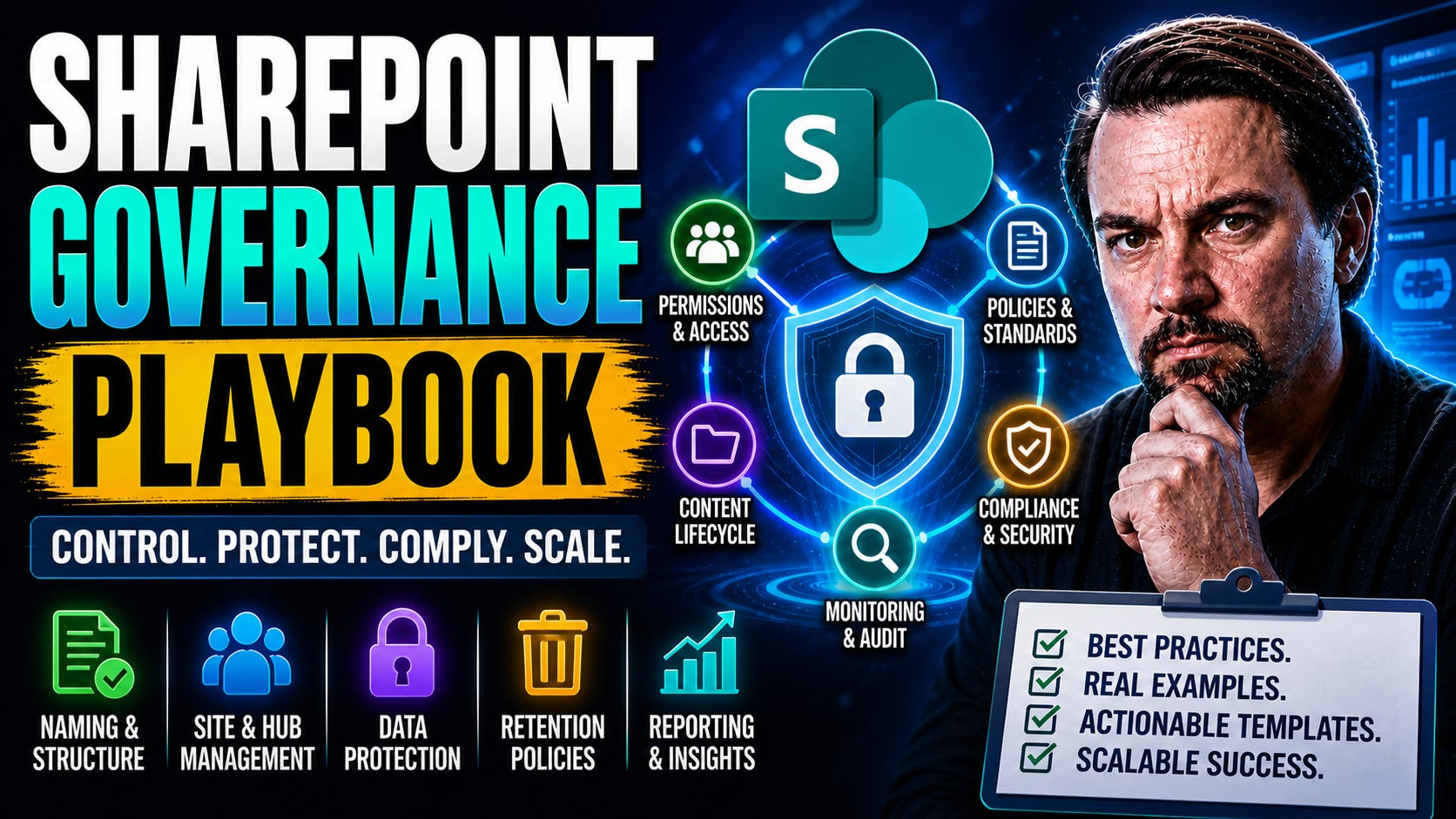
SharePoint Governance: Best Practices and Guide
Master platform governance! Get best practices for compliance, security, and lifecycle management. Prepare your tenant for Copilot with this essential guide.
“Governance is no longer about documents and folders—it’s about controlling how your entire digital workplace thinks, shares, and learns.” - Mirko Peters
SharePoint Governance Playbook: Your Guide to Future-Ready Collaboration
Let me level with you: SharePoint and Microsoft 365 aren’t getting any simpler. Between the boom in remote work, AI rolling through the office like a new sheriff, and the constant stream of Teams, Viva, and Copilot updates, it’s easy for things to spiral out of control. That chaos can leave doorways wide open to compliance headaches, security gaps, and good old-fashioned user frustration.
Modern organizations need more than a dusty governance policy buried in a folder somewhere. Today’s challenges—content sprawl, keeping sensitive data locked down, and getting users to actually follow the rules—demand a living, breathing playbook. Especially with AI tools like Copilot in the mix, mistakes or blind spots can spread fast across every Microsoft 365 nook and cranny.
That’s why I built this playbook: to give you a clear roadmap to sustainable, secure, and trusted collaboration in the Microsoft universe. You’ll see how to weave governance into Microsoft 365, how to adapt when AI and new tools show up, and how to keep everyone marching (mostly) in the same direction. Here’s what’s coming up: we’ll break down the framework, walk through the core operational pillars, dive into tools and metrics, and answer your hardest questions about SharePoint governance in our fast-changing world.
SharePoint Governance Playbook: Definition
SharePoint governance is the set of policies, roles, responsibilities, and processes that guide how an organization plans, deploys, manages, and uses SharePoint and related collaboration technologies; a “SharePoint governance playbook” is the documented framework that captures those governance rules and operational procedures.
Short explanation: A SharePoint governance playbook defines who can create sites and content, how information architecture and metadata are standardized, security and compliance controls, lifecycle and retention rules, backup and recovery processes, and ongoing monitoring and support workflows. It ensures consistency, reduces risk, enables scalability, and aligns SharePoint use with business objectives by providing clear, repeatable guidance for IT, administrators, and end users.
8 Surprising Facts About SharePoint Governance
Governance is more about people than technology. A successful sharepoint governance playbook focuses on roles, decision rights and change management as much as on configuration or policies.
Too much control kills adoption. Overly strict governance rules create workarounds and shadow IT; balancing guardrails with user empowerment is often the surprising key.
Metadata often outperforms folder structure. Governance that prioritizes taxonomy and metadata can dramatically improve findability and reduce complex site hierarchies.
Governance is a living document. A sharepoint governance playbook must be regularly reviewed and updated as business needs, Microsoft 365 features and compliance requirements evolve.
Automation reduces governance overhead. Policies, provisioning templates and flows can enforce rules consistently and cut manual governance workload.
Steering committees beat lone admins. Cross-functional governance councils lead to better decisions, faster escalations and stronger organizational buy-in than single-person control.
Good governance helps security AND productivity. Effective governance aligns access controls, lifecycle policies and training so security improvements don’t hamper everyday work.
Metrics reveal problems you didn’t know existed. Usage analytics, site sprawl metrics and compliance reports in a sharepoint governance playbook expose hidden risks and guide prioritization.
Building a SharePoint Governance Framework for Microsoft 365 and Copilot
The days when SharePoint governance meant a simple checklist of “yes” and “no” are long gone. In a Microsoft 365 world, things move fast: Teams spin up overnight, Copilot starts generating documents, and the lines between platforms blur. If your governance framework can’t keep pace with this, you end up chasing problems instead of steering the ship.
Building for the future means constructing a SharePoint governance framework that scales up, bends with business needs, and actively supports Copilot and other AI-driven capabilities. It’s about more than controlling risk and cost; it’s about empowering smart, compliant collaboration that adapts when Microsoft drops a new update or feature.
Why this shift? Because traditional frameworks aren’t designed for today’s “always-on” 365 world, developing a SharePoint governance strategy is essential. Legacy models tend to focus on documents and folders, neglecting the cross-platform reality. But once Copilot enters the picture, governance must account for structured data, carefully defined access, and security that keeps sensitive content fenced off—even as AI learns from every corner of your tenant.
This section sets the scene for choosing the right pillars and integration points. It’ll help you see governance not as an afterthought, but as a living strategy locked into the heart of your business processes. If you’re interested in practical guidance for Copilot specifically, check out this overview of Microsoft Copilot governance policy to see how contracts, licenses, and access controls set the tone for secure AI adoption. The rest of this playbook will build on these concepts, showing you how to design a resilient foundation that actually works in our new Microsoft landscape.
Core Pillars of a SharePoint Governance Framework
The backbone of a strong SharePoint governance framework rests on clear, structured pillars. Think of these as the categories that organize all your rules, decisions, and controls—providing both order and flexibility as your business grows. Each pillar aligns with a core enterprise goal, from compliance all the way to productivity and user experience.
Most effective governance models revolve around five essential domains: site lifecycle and provisioning, permissions and access management, information architecture, compliance and retention, and, more recently, AI oversight. These pillars guide how you manage who can create sites, how content is organized and secured, how long information must be retained, and what role automation plays in enforcing it all.
Organization is just the start. You need adaptability—policies that can be updated as Microsoft 365 changes, and automation that keeps things humming without constant manual effort. And scalability: the framework must support not only today’s needs but tomorrow’s expansion, integrations, and evolving regulatory demands.
Structure isn’t about bureaucracy for its own sake. When each pillar is well-defined—supported by policy, technology, and people—you close the door on accidental risks and make it easier for your staff to get work done confidently. This kind of architecture is essential for success; it’s about building something that withstands real-world challenges, not just ticking boxes. For another take on the importance of structure and enforcement, especially at scale, listen to this discussion on Azure enterprise governance strategy for lessons that apply just as well in the SharePoint world.
Integrating Governance with Microsoft 365 and Copilot
Integrating your governance framework across the entire Microsoft 365 environment—including SharePoint, Teams, Viva, and Copilot—is no longer a “nice to have.” As soon as AI-powered tools like Copilot start drawing from your tenant’s data, you need policies and technical guardrails that span every connected platform.
Effective SharePoint governance now means data must be structured, classified, and secured at the source—enabling Copilot to deliver value without leaking sensitive information or violating retention rules. That’s why many organizations focus on Copilot governance pillars, embedding DLP, sensitivity labels, and access controls everywhere data lives. Using automation and tools like Microsoft Purview, you can extend these policies beyond SharePoint to every point Copilot touches.
For practical, up-to-date advice on securing the Microsoft 365 environment as AI matures, it’s worth reviewing advanced Copilot agent governance with Microsoft Purview and keeping Copilot secure and compliant. Adopting a unified approach means Copilot’s power becomes an asset—and not a risk—in your AI-ready, future-proof governance strategy.
The Five Pillars of Effective SharePoint Governance
When you strip away the hype, SharePoint governance really comes down to five operational domains, or pillars, that keep things humming—and safe. Each pillar works hand-in-hand with the others, covering the full span of everyday business realities and long-term compliance goals.
First, there’s the site lifecycle: creating new sites, preventing unchecked sprawl, and cleaning up what’s no longer needed. Next up is permissions—who can do what, where, and how to keep sensitive data from wandering into the wrong inbox. Equally essential is information architecture: the invisible “highways” that make navigation simple and search actually useful.
Of course, no governance is complete without compliance and retention, especially as regulations and legal demands become more complex. Finally, the newest layer: AI oversight. With Copilot and friends combing through data, policies now extend to structured data, automation, and anomaly detection across Microsoft 365 apps.
These pillars aren’t just theory—they’re your practical levers for growing deeper governance maturity. In the next sections, we’ll break down each area to help you move from basic controls to an ecosystem where security, compliance, and user productivity all play nicely together.
Site Lifecycle Management and SharePoint Provisioning Strategies
Define Clear Site Provisioning Models: Build a two-pronged approach: let users request sites through a structured workflow (self-service with oversight), or allow IT-initiated provisioning for sensitive scenarios. Use automated templates to enforce metadata, permissions, and required configurations right out of the gate.
Standardize Naming Conventions: Agree on short, meaningful prefixes or codes for every site, team, and resource. This prevents confusion and supports navigation, searchability, and integration across Microsoft 365 environments, contributing to a complete SharePoint governance strategy. Consistent naming also supports compliance and disaster recovery down the road.
Set Site Retention and Expiry Policies: Create automated policies to identify inactive, duplicate, or obsolete sites. Build in periodic reviews—say, every six or twelve months—to prompt site owners for updates or to mark content for archival or deletion. Automating these steps minimizes content sprawl and reduces audit headaches.
Monitor and Control Site Growth: Dashboards, Power Automate flows, or native SharePoint analytics can alert you when orphaned or oversized sites pop up. Proactively flagging outliers stops data from stacking up and supports compliance, especially with evolving regulatory pressures.
Align Lifecycle with Data Governance Needs to develop a robust SharePoint governance framework that balances compliance and usability. Not all data belongs in SharePoint forever—or at all. For critical Power Platform or app data, consider alternatives with stronger governance, like Microsoft Dataverse. Using Dataverse vs. SharePoint: The Governance Mistake Costing You Time as a guide, organizations can prevent technical debt and regulatory troubles before they take root.
Bottom line: Lifecycle policies don’t just keep the house tidy—they’re your first defense against sprawl, cost creep, and compliance failures. When automated and enforced, lifecycle management becomes the backbone of a sustainable SharePoint environment.
Permissions, Access Control, and SharePoint Security
Adopt Role-Based Access Controls (RBAC): Assign permissions through groups, not individuals, to strike the right balance between security and ease of management. Use built-in SharePoint security groups for standard models, and extend with Microsoft Entra ID (Azure AD) where Teams and external users come into play.
Streamline External Sharing (and Monitor It Relentlessly): Allow only the minimum necessary sharing with guests, and require business justification for each invitation. Set up expiration, enforce time-boxed access, and automate offboarding. Missed offboarding means open doors to data loss, as discussed in The Hidden Danger of M365 Guest Accounts.
Audit and Refine Permissions Regularly: Native M365 audit logs, Microsoft Purview, and PowerShell-based reporting can spotlight overshared or high-risk content. Enhance your baseline by using continuous alerts and treat monitoring as a “product”—not just a one-time step. For practical tactics, see how to stop blind external sharing and audit user activity with Microsoft Purview.
Adapt for Teams + SharePoint Integration: Remember that every Team creates a connected SharePoint site with its own permissions layer. Changes in Teams can create unexpected risks in SharePoint. Build cross-app policies and train site owners so they know what’s actually exposed—and to whom.
Ultimately, robust permissions and security tools reduce business risk and help users stay confident enough to collaborate, without losing sleep over accidental data leaks.
Information Architecture and Navigation for SharePoint Success
Information architecture in SharePoint is all about clarity: making sure users can get to what they need, when they need it, without getting lost or frustrated. Start with a logical site and hub structure, clearly broken down by business function or region. Make use of navigation best practices—think navigation bars, links, and metadata tagging—to boost discoverability and retention.
A good architecture turns SharePoint into a center—rather than a maze—for digital work. Libraries, folders, and metadata should be organized logically, supporting not just ease of use, but also compliance and security. As highlighted in Stop Document Chaos: Build Your Purview Shield, coordinated structure and ownership are the front lines in preventing data loss and keeping your environment audit-ready.
Meeting Compliance and Retention with Microsoft Purview
Implement Retention and Disposition Policies: Define retention schedules at both the site and item level, tailored to legal and regulatory requirements. Use Microsoft Purview to automatically apply labels, enforce retention windows, and manage content through to disposition.
Use Sensitivity Labels and Information Barriers: Apply sensitivity labels to control who can access, edit, or share content, both within and outside the organization. Information barriers stop information from reaching the wrong teams, supporting confidentiality and regulatory separation.
Enable Comprehensive Audit Trails: Configure Microsoft Purview Audit (preferably Premium tier in high-risk industries) for thorough, long-term log retention. This covers not only SharePoint but the wider Microsoft 365 suite, as described in How to Audit User Activity with Microsoft Purview. These audit trails form the backbone of compliance and forensic readiness.
Automate Compliance Monitoring: Set up DLP (Data Loss Prevention) and compliance alerts that flag suspicious content sharing, file downloads, or unusual behavior. Leveraging Stop Document Chaos: Build Your Purview Shield, integrating DLP with robust ECM (Enterprise Content Management) policies makes it easier to stay compliant and avoid accidental leaks.
Bridge Legal and Operational Needs: Don’t just check the compliance box—work alongside HR, legal, and security teams to ensure configuration matches real-world business workflows and retention realities.
With Microsoft Purview and native SharePoint features, compliance becomes a proactive element of your governance strategy—never an afterthought.
Establishing a SharePoint Governance Committee and Operating Model
Every effective SharePoint governance effort needs a solid operating model, starting with a governance committee that brings IT, compliance, business, and security together. This team sets the tone for policy coverage, platform decisions, and ongoing review cycles.
Define clear roles: site owners, service admins, business stakeholders, and compliance leads. Set a regular meeting cadence—monthly or quarterly—to keep governance living and responsive. Cross-functional collaboration not only ensures technical coverage, but helps policies land with the people actually using the system. For organizations navigating the risks of AI and automation, a formal Governance Board can act as a critical safeguard against both operational and ethical failures in today’s Microsoft-powered world.
SharePoint Governance Playbook: Key Benefits of a Governance Committee
Clear decision authority: Establishes a defined body to make consistent, timely decisions on policies, standards, and escalations.
Risk reduction and compliance: Ensures adherence to regulatory, security, and information management requirements, reducing legal and operational risk.
Policy enforcement and consistency: Drives uniform application of naming conventions, permissions, lifecycle, and content classification across the SharePoint estate.
Resource prioritization: Aligns SharePoint investments and projects with organizational priorities, improving ROI and avoiding duplicated efforts.
Cross-functional alignment: Brings stakeholders from IT, records management, legal, and business units together to reconcile competing needs and foster collaboration.
Change control and governance oversight: Manages configuration, customizations, and third-party integrations to preserve platform stability and supportability.
Service-level accountability: Defines roles and responsibilities for site owners, administrators, and support teams, improving response times and service quality.
Knowledge retention and institutional memory: Captures governance decisions, playbooks, and standards to maintain continuity despite personnel changes.
User adoption and training guidance: Oversees governance-related training, adoption programs, and communications to increase effective use of SharePoint governance policies.
SharePoint Governance Playbook: Key Benefits of an Operating Model
Operational clarity: Provides documented processes for provisioning, lifecycle management, access requests, and content disposition to monitor SharePoint effectively.
Scalability and repeatability: Standardized workflows and roles enable consistent scaling as the platform and user base grow.
Improved security posture: Operational controls for identity, permissions, and monitoring reduce exposure to data breaches and unauthorized access.
Cost control and efficiency: Streamlines administration, reduces redundant sites and storage sprawl, and optimizes licensing and infrastructure costs.
Faster provisioning and time-to-value: Well-defined request and approval paths accelerate site creation and project delivery.
Metrics and continuous improvement: Establishes KPIs (usage, compliance, support metrics) to measure effectiveness and drive iterative improvements.
Better user experience: Consistent templates, navigation, and governance rules improve findability and reduce user frustration.
Delegated administration: Role-based operating model empowers business owners while preserving central governance control.
Disaster recovery and continuity: Operational plans for backup, retention, and recovery ensure business continuity and data resilience.
Policy Enforcement and Monitoring in SharePoint Governance
You can draft the slickest policy in the world, but if no one enforces it—or worse, no one checks whether it’s followed—your governance is about as effective as a door with no lock. Policy enforcement and monitoring are non-negotiable for SharePoint governance success.
Automated enforcement options have come a long way. With Microsoft 365 and native SharePoint tools, you can set up access reviews, DLP policies, automated site reviews, and retention enforcement—reducing the need for constant manual checks. As environments grow, automation turns what would be a mountain of manual work into a series of managed workflows and alerts.
Manual audits also have their place. Regularly scheduled reviews, spot checks, and detailed reporting help catch gaps that slip through automation. Microsoft Purview Audit gives you visibility across multiple M365 services, with Premium versions unlocking deeper historical data—especially valuable for regulated or high-risk industries. For more on audit best practices, explore this guide to user activity auditing with Microsoft Purview.
None of this works without accountability. Assign ownership for each enforcement process, ensure documentation stays current, and review monitoring dashboards often. In the end, continuous oversight (not “set-it-and-forget-it” governance) gives you a fighting chance against new risks as your Microsoft 365 landscape evolves.
Launching Your SharePoint Governance Playbook: From Foundation to Optimization
Rolling out a SharePoint governance strategy doesn’t have to be a marathon with no finish line. You can approach it in clear, strategic phases—from putting down the foundation and core policies, to optimizing for compliance, security, and long-term adoption.
Begin with a baseline: lock down key controls, set up site provisioning and access standards, and make sure everyone knows their roles. Early wins here help build trust and demonstrate tangible value to business and IT leadership alike. As your foundation solidifies, expand the governance stack with layered compliance, automated monitoring, and tighter security integration across all M365 workloads.
Don’t forget the importance of review and optimization. Set a cadence—quarterly, for example—to assess what’s working, what’s getting ignored, and how real-life user behavior matches (or breaks) your plans. Adjust as Microsoft releases new features, requirements shift, or business needs evolve. This living roadmap ensures your governance never grows stale.
With a phased, focused plan, organizations move quickly from policy on paper to policy in practice—achieving governance maturity one step at a time, rather than falling victim to complexity or analysis paralysis.
Overcoming Common SharePoint Governance Challenges
Even the best governance playbooks run into landmines—reasons for failure, cultural roadblocks, or just plain old user resistance. The most common culprit? Treating governance as an IT problem, or a collection of tools, instead of a living system that needs real ownership across the board.
One classic failure mode is the “govern tools, not systems” trap. Ownership gets so fragmented—someone runs SharePoint, someone else Teams, automation floats off with Power Platform—that gaps inevitably appear. The result: identity drift, collaboration sprawl, and compliance holes. As discussed in Microsoft 365 Governance Failures, stepping back and taking a system-first approach (not just a tools checklist) is essential.
Then there’s the illusion of governance: assuming that having native controls like DLP or Conditional Access means you’re safe. In reality, enforcement comes down to careful design, regular review, and crystal-clear ownership. Governance Illusion in Microsoft 365 is a reminder that policies are worthless if they’re not adopted—or if users simply find “workarounds” to keep things moving.
Real-world playbooks must balance guardrails and flexibility, using change management, user training, and behavioral nudges to increase adoption. Recognizing governance as a dynamic, people-driven practice keeps organizations ahead of evolving challenges and helps enforce governance effectively.
Choosing Governance Tools and Measuring Success
Selecting the right governance tools can feel like navigating a minefield. Microsoft Purview and native SharePoint features cover most baseline needs—labeling, retention, DLP, and auditing—but larger, regulated organizations may need specialized third-party solutions for automation or advanced reporting. Evaluate current and future needs, regulatory obligations, and in-house expertise before buying (or ignoring) a tool.
Metrics are your compass for measuring governance effectiveness. Focus on both technical and business KPIs: number of sites under policy, percentage of guests reviewed quarterly, adoption of retention labels, user satisfaction with search/navigation, and incident response times. These metrics track both compliance and user experience, showing where policies deliver ROI (or miss the mark).
Getting started means two things: define what “good” looks like for your context, and make the first move—whether it’s automating an audit process or launching a pilot in one department. For practical examples of tool-based governance and effective compliance, check out Audit User Activity with Microsoft Purview and the broader ECM approach in Stop Document Chaos.
In the end, closing the playbook is really opening the door to operational confidence—delegating less to luck, more to smart controls and thoughtful measurement.
Frequently Asked Questions: SharePoint Governance Playbooks
What is a SharePoint governance playbook and why is it important?
A SharePoint governance playbook is a documented governance plan that defines roles, policies, lifecycle policies in SharePoint, retention policies, and operational guidelines to manage SharePoint Online and enterprise SharePoint effectively. Its importance of SharePoint governance lies in reducing governance gap, ensuring compliance, protecting sensitive content, and enabling consistent SharePoint implementations across the organization.
What are the components of a SharePoint governance playbook?
Key components of a SharePoint governance playbook include governance team roles and a governance committee reviews schedule, site and Microsoft 365 group provisioning process, permission models and SharePoint permissions standards, content lifecycle policies, retention policies, governance dashboards and monitoring, change control, and escalation paths for governance and compliance issues.
How do I start a governance assessment for my current SharePoint environment?
Begin with a governance assessment by inventorying sites, Microsoft 365 group links, content types, custom solutions, and usage patterns. Evaluate governance gap areas such as inconsistent permissions, missing retention policies, or unmanaged Teams and SharePoint connections. Use governance dashboards and metrics to prioritize implement governance controls and plan remediation.
What are best practices for SharePoint governance when implementing SharePoint Online?
Best practices for SharePoint governance include defining a governance plan in place before major deployments, using templates for site provisioning, establishing central controls in the SharePoint admin center, enforcing retention policies, training the governance team and site owners, and aligning SharePoint architecture with business processes to support successful SharePoint implementations.
How should we structure the governance team and committees?
A governance team should include IT administrators, SharePoint architects, information owners, compliance officers, and business stakeholders. A governance committee reviews policy changes periodically, approves exceptions, and ensures governance implementation aligns with business goals. Clear responsibilities help govern your SharePoint consistently.
What role does the SharePoint admin center play in governance?
The SharePoint admin center is the operational hub for governance implementation, enabling centralized configuration of site settings, external sharing controls, hub site management, and monitoring tools. It is also where admins can enforce retention policies, manage lifecycle policies in SharePoint, and apply governance and compliance controls across SharePoint Online.
How can we use templates as part of a SharePoint governance plan?
Templates standardize site structure, permissions, metadata, and lifecycle rules to reduce variability in SharePoint content and permissions, ensuring complete SharePoint governance. Including templates in the SharePoint governance playbook ensures governed SharePoint deployments, faster provisioning, and better adherence to sharepoint governance best practices.
What are recommended policies for SharePoint permissions and access control?
Adopt the principle of least privilege, use group-based access via Microsoft 365 group membership where appropriate, avoid unique item-level permissions, implement periodic access reviews by the governance committee, and document permission inheritance strategies in the governance plan to maintain strong governance.
How do retention policies fit into a SharePoint governance guide?
Retention policies are a core part of the governance plan, specifying how long content should be kept, when it should be archived or deleted, and mapping legal or regulatory requirements to lifecycle policies in SharePoint. Properly configured retention policies reduce risk and simplify governance and compliance management.
What are practical steps to implement governance controls in SharePoint Online?
Practical governance implementation steps include defining governance objectives, creating a governance plan, building templates, configuring the SharePoint admin center, applying retention policies, setting up governance dashboards, training site owners, and running periodic governance assessments to iterate and improve.
How does Microsoft 365 Copilot affect SharePoint governance and copilot readiness?
Microsoft 365 Copilot accesses SharePoint content according to existing permissions, so copilot readiness requires verifying that SharePoint permissions and metadata are accurate. Governance should include policies about Copilot access, data sensitivity, and how Copilot respects SharePoint permissions to prevent inadvertent data exposure.
Can governance support SharePoint implementations across healthcare or regulated industries?
Yes, governance and compliance are essential for SharePoint implementations across healthcare and other regulated industries. The governance playbook should include strict retention policies, audit trails, data classification, and alignment with regulatory requirements, with the governance committee reviews documenting compliance activities.
When should we consider engaging SharePoint consulting for governance?
Engage SharePoint consulting when internal expertise is limited, during major migrations, or to perform a governance assessment and design a strong governance framework. Consultants can help implement governance dashboards, refine your SharePoint architecture, and accelerate an effective SharePoint governance plan in place for large enterprise SharePoint environments.
How do we measure success of a SharePoint governance plan?
Measure success using adoption and compliance metrics on governance dashboards, reduced incidents of unauthorized access, adherence to retention policies, timely lifecycle policy execution, and stakeholder satisfaction. Regular governance assessment cycles ensure the governance plan remains effective and aligned with business needs.
What is the heart of SharePoint governance and how do we maintain it?
The heart of SharePoint governance is a combined focus on people, processes, and technology: clear roles and governance team responsibilities, documented governance policies and templates, and technical controls in the SharePoint admin center. Maintain it through ongoing training, governance committee reviews, and continuous governance implementation improvements.
How do governance dashboards help operate a governed SharePoint environment?
Governance dashboards provide visibility into site sprawl, permissions anomalies, retention policy coverage, and usage trends. They enable the governance team to track compliance, prioritize remediation, and report on the effectiveness of the sharepoint governance best practices and governance plan.
What steps ensure Teams and SharePoint are governed together?
Define policies for Teams and SharePoint integration, control Microsoft 365 group provisioning, standardize templates that include Teams channels and SharePoint sites, enforce retention and access policies consistently, and include Teams and SharePoint metrics in governance dashboards to ensure cohesive governance implementation.
How do we handle exceptions and flexible governance needs?
Document an exceptions process in the governance plan where business owners request temporary deviations. The governance committee reviews and approves exceptions with clear expiration and mitigation controls. This approach balances control with agility and helps govern your SharePoint without stifling innovation.
How often should we review and update the SharePoint governance playbook?
Review the governance playbook at least annually or whenever there are major changes such as new Microsoft 365 Copilot capabilities, regulatory updates, or large-scale SharePoint implementations. Regular governance assessment and updates keep the governance plan current and effective.
When to Seek Expert Help and Keep Your Governance Strategy Updated
Sometimes, all the policies in the world just don’t cut it. If your Microsoft 365 environment is growing fast, you’re subject to strict regulations, or adoption is lagging—even after lots of training—bringing in governance specialists is a smart move. Outside experts can spot gaps, design scalable models, and tie your SharePoint strategy tighter to business results.
To keep governance current, review policies at set intervals (like every three to six months), and whenever major features or regulations change. Watch for signals—such as rising support tickets or sudden security incidents—that it’s time for a refresh. For help improving user adoption and training, consider integrating a Governed Copilot Learning Center to centralize governance knowledge and keep your organization on track.
Continuous learning, review, and collaboration with industry experts ensure your governance stays sharp—while everyone else is playing catch-up.
SharePoint Governance: Pros and Cons
Pros
Improved compliance and risk management: Policies and controls help ensure regulatory and internal compliance, reducing legal and security risks.
Consistent information architecture: Standardized site templates, metadata, and taxonomy make content easier to find and manage.
Better security and access control: Defined roles, permissions and lifecycle rules reduce unauthorized access and data leakage.
Enhanced collaboration and productivity: Clear rules for site creation, sharing and versioning streamline teamwork and reduce duplication.
Cost control and resource optimization: Governance limits sprawl, manages storage and optimizes licensing and infrastructure costs.
Clear ownership and accountability: Defined governance roles (owners, stewards, administrators) improve maintenance and decision-making.
Improved change management: Policies for updates, customizations, and third-party integrations reduce disruption and technical debt.
Measurable performance and reporting: Governance frameworks enable metrics and audits to track adoption, usage and compliance.
Cons
Initial overhead and complexity: Creating a governance playbook requires time, stakeholder alignment and skilled resources.
Potential for bureaucracy: Overly prescriptive policies can slow down site creation, innovation and user agility.
User resistance: Strict controls or complex processes may frustrate end users and reduce adoption.
Ongoing maintenance required: Governance must be updated as business needs, platform features and regulations change, which consumes resources.
Balance challenges: Finding the right mix between control and flexibility is difficult and context-dependent.
Training and communication demands: Effective governance requires continuous education and support for users and administrators.
Tooling and automation costs: Implementing policy enforcement, monitoring and reporting may require additional tools or custom development.
SharePoint Governance Playbook Checklist
Use this checklist to plan, implement, and maintain SharePoint governance across your organization.
Governance Strategy & Ownership
Define clear governance objectives aligned with business goals
Document the scope of the SharePoint governance playbook
Establish a governance committee with executive sponsor
Assign roles and responsibilities (owners, stewards, admins, site owners)
Define decision-making and escalation processes
Policies & Standards
Create and publish governance policies (security, permissions, naming, retention)
Define site provisioning and lifecycle policies
Establish content classification and metadata standards
Set acceptable use and compliance policies for users
Maintain a versioned policy repository as part of the playbook
Information Architecture & Site Structure
Design hub/site architecture and relationships
Define site templates and provisioning templates
Standardize naming conventions for sites, libraries, lists, and content
Define taxonomy, managed metadata, and tagging strategy within the framework of effective SharePoint governance policies.
Plan navigation and search optimization strategies
Security, Permissions & Access Management
Define permission models and least-privilege principles
Standardize use of groups (Azure AD/SharePoint groups) and role assignments
Document external sharing policy and controls
Implement conditional access and multifactor authentication requirements
Schedule periodic permission reviews and access recertification
Content Lifecycle & Records Management
Define retention, archival, and disposal policies
Implement compliance labels and retention labels where required
Define content ownership and records management responsibilities
Establish backup, restore, and disaster recovery processes in line with developing a SharePoint governance strategy.
Audit and track legal hold and eDiscovery requirements
Governance Operations & Automation
Document operational runbooks and supported workflows
Automate site provisioning and deprovisioning where possible
Use scripts or tools to enforce naming, metadata, and policies
Integrate governance checks into CI/CD for customizations and solutions to ensure compliance with SharePoint governance policies.
Maintain an inventory of sites, apps, and integrations
Monitoring, Reporting & Compliance
Define key governance KPIs and success metrics
Implement logging, auditing, and activity monitoring
Schedule regular governance and compliance reports
Perform routine security and compliance audits
Track remediation actions and closure of governance issues
Training, Adoption & Support
Create training materials and role-based onboarding for SharePoint users
Provide site owner and admin training on governance responsibilities
Set up a support model and request process for governance exceptions
Promote governance policies and quick reference guides to users
Measure adoption and collect user feedback for continuous improvement
Change Management & Continuous Improvement
Establish a change control process for governance updates
Review the SharePoint governance playbook at defined intervals
Maintain a roadmap for governance initiatives and tooling upgrades
Solicit stakeholder feedback and adjust policies accordingly
Run periodic tabletop exercises for incident and compliance scenarios
Review & Audit
Schedule annual governance review with governance committee
Conduct periodic independent audits of governance adherence
Update documentation and communicate changes organization-wide


