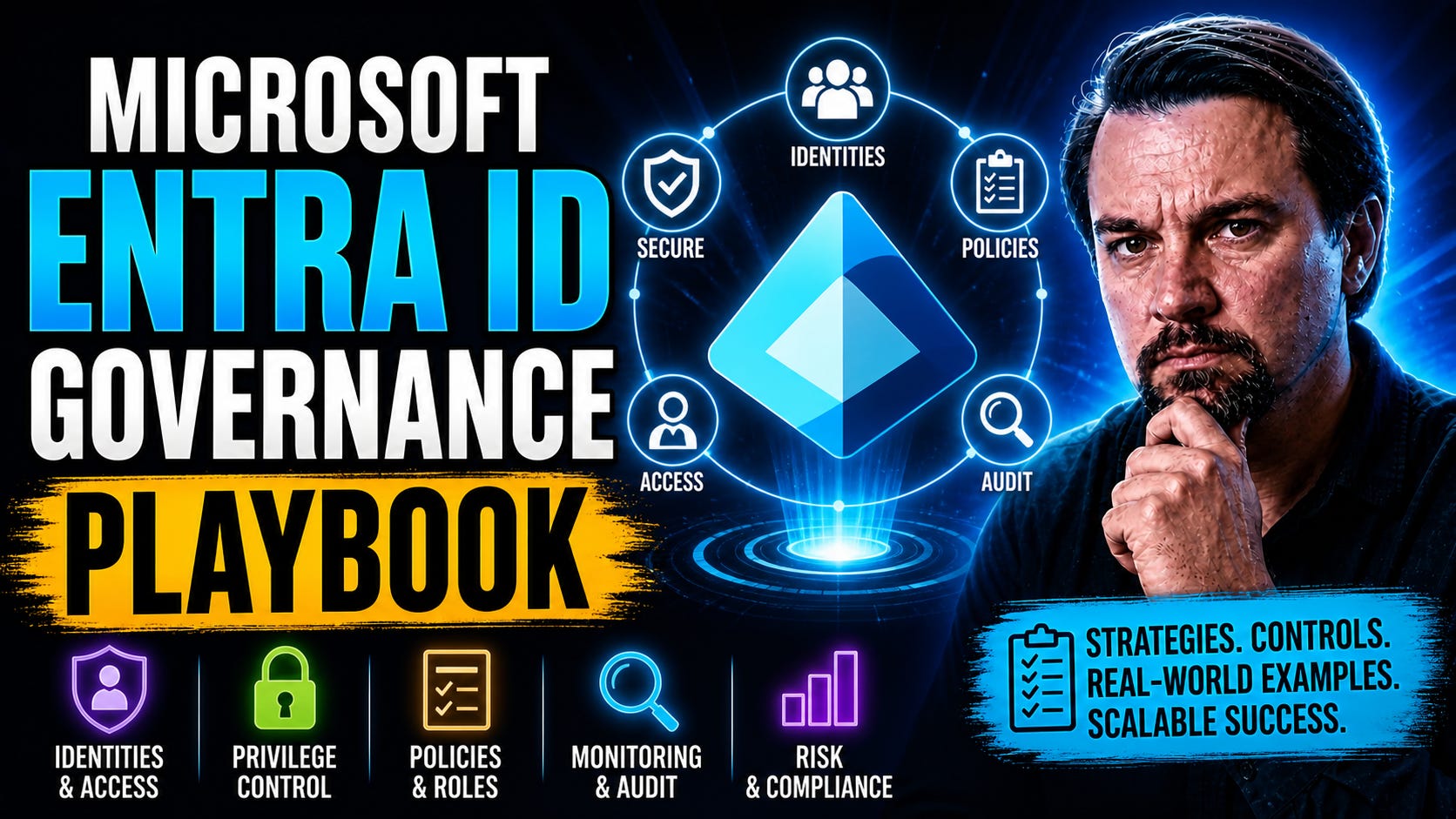
Microsoft Entra ID Governance: Tenant Deployment Guide
Deploy identity governance for your tenant. Manage workflows, privileged access, and on-premises Active Directory with this comprehensive guide.
“This isn’t about managing users—
it’s about controlling who can impact your business.” - Mirko Peters
Microsoft Entra ID Governance Playbook
If you’re sitting there wondering, “How do I actually keep control of all the IDs, roles, and access scattered across Microsoft cloud?” then you’re in the right spot. This playbook is your no-nonsense guide to governing Microsoft Entra ID. We break down the essentials and walk you through practical steps to set up, scale, and manage Entra in an enterprise environment. Whether you’re dealing with one tenant or juggling a monster mix of business units, you’ll find proven methods to reduce risk, lock down your tenant, and keep operations humming. Dive in and discover how to keep identities, roles, and compliance under control—without losing your mind or your audit score.
Microsoft Entra ID Governance — Definition
Microsoft Entra ID Governance is a set of features and controls within Microsoft Entra (formerly Azure AD) designed to manage, monitor, and enforce identity lifecycle, access reviews, entitlement management, and policy-based governance for users, groups, and applications.
Short Explanation: Entra ID Governance helps organizations ensure that the right people have the right access at the right time by automating access requests, provisioning, and deprovisioning; running periodic access reviews; applying least-privilege principles; and providing visibility and reporting for compliance. It supports entitlement management to package access, access reviews to validate continued need for permissions, and policies that reduce risk from excessive or stale access. These capabilities are commonly organized into a microsoft entra id governance playbook to standardize processes and respond to audit and security requirements.
5 Surprising Facts About Microsoft Entra ID Governance
Built-in entitlement management automations can replace manual workflows. Entitlement management ties access packages, approval workflows, and lifecycle automation together, reducing the need for custom scripts or manual approvals in many common scenarios.
Access reviews integrate machine learning signals. Entra ID Governance can use sign-in and activity data to highlight stale or low-use access during access reviews, making reviewer decisions faster and more accurate.
Privileged Identity Management (PIM) supports just-in-time elevation across hybrid resources. PIM can manage time-limited roles not only in Azure AD but also for on-premises AD and certain third-party resources when integrated, limiting standing privileged access.
Entitlement management can onboard external users at scale with governance controls. B2B collaboration plus access packages let you qualify, approve, and periodically review external partner access without adding them as permanent tenants or unmanaged accounts.
Governance policies can be enforced before entitlement issuance. Conditional policies, policy-based approval chains, and automated policy checks allow enforcement of compliance gating (MFA, device compliance, terms acceptance) before access is granted, reducing remediation later.
For implementation guidance and scenarios, see microsoft entra id governance playbook resources and Microsoft documentation to align these capabilities with your organization’s access governance processes.
Understanding Why Tenant Governance Matters in Microsoft Entra ID
Let’s be real: Modern identity environments aren’t getting any easier to run. With remote work, hybrid models, and ever-stricter regulations, organizations now have to manage user access at a scale nobody even imagined ten years ago. Microsoft Entra ID is at the heart of this challenge—it’s the front door for your users, contractors, and guests. But without proper tenant governance, that door might as well be swinging wide open for risks, policy drift, and compliance headaches.
Strong tenant governance means keeping track of who has access, why they have it, and what they’re actually doing. It demands more than just setting up controls—it’s about creating policies with teeth and making sure they’re actually enforced. The business case is simple: poor oversight can lead to unnecessary privileges, orphaned accounts, and an ever-growing attack surface. Meanwhile, regulators expect you to not just have policies, but to show you’re actually enforcing them.
Want to see why documentation alone isn’t enough? Check out this breakdown of Azure governance, which explains why automated enforcement and deterministic guardrails matter more than another dusty policy document. And if you’re worried about sneaky compliance slips, this podcast on Microsoft 365 retention policies drives home the need to measure actual user behaviors, not just rely on dashboard comfort. Bottom line: If you want sustainable growth, a manageable attack surface, and no rude audit surprises, tenant governance isn’t optional—it’s the cost of doing business in the cloud.
The Role of the Microsoft Entra Tenant in Identity Management
Think of your Microsoft Entra tenant as the control tower of identity management. It’s not just where user records live—it’s the backbone that controls who logs in, what they can touch, and how everything stays compliant. When you connect your enterprise directories to Entra ID, this tenant becomes the single pane of glass for managing access, authentication, and ongoing governance workflows.
Getting the configuration of your Entra tenant right is what separates order from chaos. Decisions made here ripple through user authentication, permission assignments, and how tightly you can hold the line on compliance. The Entra tenant defines your security boundaries, and these boundaries affect your whole business, from a random third-party developer to the CEO’s mailbox.
With the explosion of SaaS and growing Shadow IT, this tenant is also your best bet for spotting and cleaning up risky external apps and unmanaged sharing. Use tools like Microsoft Defender for Cloud Apps and Entra logs to help monitor for apps that sneak through the cracks. For a look at why this is so crucial, here’s how admins handle rogue apps, external sharing, and compliance wake-up calls. Get your tenant strategy right, and your entire security and compliance posture gains a backbone strong enough to weather just about any storm.
Common Mistakes People Make About Microsoft Entra Tenant in Identity Management
This list highlights frequent misconceptions and operational errors related to Microsoft Entra Tenant that teams should address when building a microsoft entra id governance playbook.
Assuming a single tenant fits all needs: Not evaluating isolation, compliance, and administrative boundaries leads organizations to use one tenant for disparate business units or environments, complicating governance and increasing blast radius.
Underestimating identity lifecycle management: Failing to automate provisioning, deprovisioning, and entitlement reviews causes orphaned accounts, excessive privileges, and lingering external access.
Using default security settings as sufficient: Relying on out-of-the-box configurations without enabling conditional access, MFA for all users, and secure baseline policies leaves the tenant vulnerable.
Poor role and admin assignment practices: Granting Global Administrator or overly broad roles by habit instead of applying principle of least privilege and role-based access control (RBAC) increases risk.
Neglecting identity governance features: Not using access reviews, entitlement management, and privileged identity management (PIM) prevents effective oversight of who has access to what and when.
Inadequate external collaboration controls: Allowing unchecked guest access and not configuring B2B settings, invitation policies, or conditional access for guests can expose sensitive resources.
Not monitoring and alerting on identity events: Failing to enable logging, Azure AD audit logs, sign-in monitoring, and alerting reduces the ability to detect suspicious activity.
Ignoring service principal and application security: Overlooking app registrations, weak client secrets, unmanaged service principals, and excessive application permissions creates attack paths.
Poor tenant-to-tenant and hybrid planning: Neglecting synchronization, identity mapping, naming conventions, and coexistence strategies for multi-tenant or hybrid AD environments leads to complexity and outages.
Not documenting governance and operational processes: Absence of a microsoft entra id governance playbook, runbooks, and clear ownership results in inconsistent practices, slow incident response, and compliance gaps.
Failing to validate conditional access impact: Implementing broad policies without testing or excluding break-glass accounts can inadvertently block legitimate access or critical services.
Weak privileged access controls: Not enforcing just-in-time access, approval workflows, or MFA for privileged roles allows persistent elevated access that is exploitable, risking your identity governance solution.
Overlooking licensing and feature alignment: Assuming all identity governance features are available without checking Microsoft Entra licensing tiers leads to unmet requirements or unexpected costs.
Insufficient backup and recovery planning: Not planning for admin account recovery, emergency access accounts, or tenant-level backups risks prolonged downtime after an incident.
Not training administrators and users: Lack of role-specific training on secure practices, governance processes, and the microsoft entra id governance playbook results in human errors and noncompliance.
Common Mistakes People Make About Microsoft Entra Tenant in Identity Management
Treating the Entra tenant as just an Azure subscription: Confusing tenant-level identity and directory settings with subscription-level resources leads to misplaced governance controls; manage tenant-wide policies separately from subscription RBAC.
Not defining a clear tenant ownership and governance model: Lack of documented roles, responsibilities, and escalation paths causes inconsistent configuration and delayed incident response; establish a tenant governance playbook and RACI.
Over-assigning Global Administrator privileges: Granting broad admin rights to many users increases breach impact; use least privilege, Privileged Identity Management (PIM), and break-glass accounts.
Failing to enable and enforce Conditional Access: Relying only on passwords or MFA exceptions weakens protection; implement Conditional Access policies for sign-in risk, device compliance, and location.
Ignoring external identities and guest user risks can undermine your identity governance solution. Treating B2B/B2C guests as internal users can expose data; apply access reviews, guest lifecycles, limited privileges, and entitlement management.
Not using identity lifecycle automation: Manual onboarding/offboarding causes lingering accounts and orphaned access; automate provisioning, deprovisioning, and group membership via HR or identity connectors.
Insufficient monitoring and alerting: Relying only on periodic reviews misses active compromises; enable Azure AD (Entra) sign-in logs, audit logs, Identity Protection, and SIEM integration with actionable alerts.
Neglecting application and API permissions governance: Allowing apps to request excessive delegated or application permissions leads to privilege escalation; review consent, apply least privilege, use managed identities, and restrict user consent.
Not enforcing multi-factor authentication broadly: MFA limited to some users or methods leaves attack surface; require MFA for high-risk roles and sensitive access, and use strong authentication methods (FIDO2, passwordless).
Poorly managed service principals and managed identities: Forgotten service principals and keys create long-lived secrets; rotate credentials, use managed identities where possible, and monitor app registrations.
Skipping access reviews and entitlement management: Assuming initial access decisions remain valid leads to privilege creep; run periodic access reviews, certify privileged groups, and use access packages for just-in-time access.
Underutilizing Microsoft Entra ID governance features: Not adopting built-in governance capabilities (access reviews, entitlement management, PIM) forces ad-hoc processes; incorporate Entra governance features into the playbook for repeatable controls.
Failing to plan for tenant-to-tenant scenarios: Mergers, acquisitions, or consolidation without tenant strategy cause identity fragmentation; plan migration, cross-tenant trust, or consolidation with governance and continuity considerations.
Poor documentation and change control: Making configuration changes without tracking or approvals increases misconfiguration risk; maintain change logs, runbooks, and test changes in non-production tenants.
Real-World Governance Playbook Inside Microsoft’s Entra Tenant
If you want to know what works—and what to avoid—when it comes to Entra ID governance, it pays to look inside how Microsoft manages its own environment. The reality is, Microsoft’s internal teams face the same sprawl and compliance demands as large enterprises everywhere. Their approach isn’t a mystery: they rely on clear-cut role assignments, strict policies, and regular workflow reviews to keep their tenant on the rails.
This section is your gateway into those practical playbooks. You’ll get context for role delegation, review cycles, and policy enforcement—the strategies Microsoft uses to lock down its own house. The aim isn’t to copy every move, but to take proven methods and make them fit your own landscape. Practical scenarios, risks, and real operational decisions are all on the table here.
And here’s a tip from the trenches: Many organizations stumble because they try to govern each tool separately. Microsoft learned (sometimes painfully) that success starts at the system level—identity, compliance, and automation controls must all work together. Want a peek behind the scenes at why tool-by-tool governance fails? This insight into Microsoft 365 governance collapse is a must-read for anyone tired of seeing the same mistakes repeated. Next, we’ll dig into exactly how role assignments, duties, and compliance are managed inside Entra ID—so you can benchmark and adapt for your own org.
How Microsoft Assigns Roles and Enforces Tenant Governance
Defined Administrative Roles and Least Privilege
Microsoft strictly limits the number of global admins and uses well-defined, purpose-driven roles—like Exchange Admin, Teams Admin, or Security Admin—to reduce excessive access. Each role’s permissions are mapped to real operational needs, helping make “just enough access” the rule, not the exception.
Automated Access Reviews and Recertification
Routine access reviews ensure role assignments don’t go stale. Service owners must regularly review—and re-approve—admin access to sensitive resources. If someone’s assignment isn’t justified, it’s automatically flagged for remediation or removal, tying directly into conditional access policies.
Enforced Separation of Duties
Microsoft splits responsibilities among different roles to prevent a single user from holding conflicting permissions (like managing access and approving requests). Tools like Privileged Identity Management (PIM) require users to “check out” elevated rights for a limited time, and all such escalations are logged and reviewed.
Conditional Access Enforcement
All admin activity flows through strict conditional access policies. These policies respond dynamically to risk signals, restricting or prompting additional verification for risky operations, and allowing for automated remediation when anomalies are detected.
Centralized Policy Ownership and Escalation Workflows
Roles and policy assignments aren’t left to chance—specified owners are responsible for compliance, with escalation paths for violations or exceptions. This ownership model reduces “identity debt” and keeps policies enforceable and scalable as the environment grows.
By combining these approaches, Microsoft avoids common governance pitfalls and reduces privileged access risk, offering a blueprint any organization can adapt for its Entra ID tenant.
Real-World Scenarios for Entra ID Governance Implementation
Mergers and Acquisitions (M&A): Enterprises need to rapidly onboard users from newly acquired organizations and keep access controlled. Entra ID governance enables temporary access reviews, secure guest onboarding, and structured offboarding, so permissions stay under control as teams merge.
Hybrid Work Environment: With users connecting from home, office, and mobile devices, governance ensures access policies are enforced everywhere. Features like dynamic groups and conditional access help maintain compliance and quickly flag risk from new locations or devices.
Regulatory Compliance: In heavily regulated sectors, Entra ID governance supports mandatory access reviews, audit logs, and time-limited permissions—making it easier to demonstrate controls during audits and to remediate findings efficiently.
Managing Data Access and Ownership: Organizations can apply data labels and ownership accountability, ensuring collaboration and AI tools like Copilot only reflect legitimate permissions. Read more about sustainable practices around access and ownership in this discussion of Microsoft 365 data governance.
Automated Risk Remediation: Entra ID allows organizations to auto-revoke access for dormant accounts, detect permission drift, and trigger workflows for high-risk changes. Automated lifecycle management is critical for reducing manual overhead and staying ahead of evolving threats.
Getting Started with Entra ID Governance Setup
Before you run off enabling dozens of policies and roles, take a breath—getting Entra ID governance right means starting with a solid foundation. The initial setup is about more than just clicking through the admin portal. It’s your chance to put structure in place, avoid classic misconfiguration mistakes, and set your environment up for scale and compliance with new identity governance practices.
This section is your guide to that all-important first phase. We’ll frame the key decisions you need to make right out of the gate: which configuration choices can’t be easily undone, how to identify your operational requirements, and what guardrails should be mandatory from day one. Putting in the right base policies early means you’ll spend less time firefighting down the road—and more time actually supporting the business.
Think of this as laying the tracks before you drive the train. We’ll cover naming conventions, lifecycle policies, and decisions about user provisioning. The goal? Make sure your tenant doesn’t sprawl out of control before you really get started. For a detailed walkthrough, the next section breaks down the user account creation process—field by field—so you can avoid guesswork and set your governance journey off on the right foot.
Field-by-Field Guide to Creating and Managing User Accounts
Display Name: This is the user’s visible identity throughout Microsoft 365. Use a consistent naming convention—like “Last, First (Dept)”—to keep directories searchable and avoid duplicate confusion. Naming mistakes here can disrupt reporting, user lookups, and even cause mail delivery issues.
Mail Nickname (Alias): The mail nickname forms the email prefix and often appears in collaboration scenarios. Pick clear, unique nicknames—especially if you’re federating multiple domains or have legacy accounts lurking in the background. Overlapping nicknames can block license assignments or complicate account merges.
Password (and Reset Policies): Enforce strong default passwords at provisioning, and require users to change them on first sign-in. If integrating with self-service resets, make sure enrollment is part of onboarding to prevent lockouts. Weak password hygiene is an open invitation for attackers and audit findings.
Enabled/Disabled Toggle: Make it a rule: never leave dormant accounts enabled. If a user isn’t active, immediately disable the account to prevent misuse or accidental licensing costs. For guest users, deploy time-boxed access and set up regular access reviews to catch any lingering accounts—a strategy reinforced in this guide to guest account governance.
License Assignments: Assign only the licenses needed for the user’s role. If license assignment fails, double-check mail nicknames, account status, and required attributes—missing or malformed fields often block licensing and can trigger costly compliance gaps. Track which fields are required, and adopt automation where possible to minimize manual mistakes.
Documenting every field and its purpose during account creation sets up better governance, less confusion, and smoother compliance reviews across your Microsoft Entra environment.
Getting Started with Entra ID Governance Setup Checklist
Confirm licensing and prerequisites — Verify Microsoft Entra ID (Azure AD) licensing, tenant admin access, and required subscriptions.
Define governance goals and scope — Identify objectives (reduce access risk, enforce least privilege, automate lifecycle), target apps, groups, and user populations.
Inventory identities, apps, groups, and roles — Export current users, guest accounts, enterprise apps, groups, and privileged roles for baseline.
Map responsibilities and stakeholders — Assign owners for users, groups, applications, and role reviews; define approval authorities.
Establish naming and classification standards — Create consistent naming for groups, roles, and resources; classify business-critical assets.
Enable Microsoft Entra ID Governance features — Turn on Entitlement Management, Access Reviews, Privileged Identity Management (PIM), and Identity Lifecycle workflows as needed.
Configure Entitlement Management access packages — Design packages for common access scenarios, set approval workflows, and lifecycle (expiration/renewal) rules to support your identity governance solution.
Set up Access Reviews — Define review scopes (groups, apps, role assignments), reviewers, recurrence, and auto-remedy actions.
Implement Privileged Identity Management (PIM) — Discover eligible and permanent privileged roles, require MFA, configure justification, approval, and activation time limits.
Create Identity Lifecycle and Entitlement workflows — Automate onboarding, offboarding, and entitlement change processes using lifecycle workflows and connectors.
Configure conditional access and MFA requirements — Ensure conditional access policies and multi-factor authentication align with governance rules for sensitive roles and access packages.
Integrate connected systems and apps — Connect SaaS apps, on-prem resources, and HR systems as identity sources for consistent governance.
Define access request and approval processes — Publish clear request flows, approver pools, SLAs, and escalation paths for entitlement requests.
Configure alerts, logs, and reporting — Enable audit logging, set up alerting for risky behavior, and create regular governance reports and dashboards.
Pilot with a controlled group — Run a pilot for selected departments to validate packages, reviews, and workflows before broad rollout.
Perform risk assessment and remediation plan — Identify high-risk access and orphaned accounts; create remediation and cleanup tasks.
Train administrators and end users — Provide documentation and training for approvers, reviewers, IT admins, and regular users on new processes.
Document governance policies and runbooks — Create a playbook covering policies, roles, step-by-step procedures, and escalation steps.
Schedule regular reviews and continuous improvement — Establish cadence for policy review, process tuning, and auditing effectiveness.
Backup and change management — Ensure configuration change control, backups of scripts/policies, and rollback plans are in place.
Governance at Scale with Groups, Roles, and Dynamic Membership
Once your tenant is set up and users are flowing in, it’s time to think big—how will you manage access, permissions, and policies when your user base goes from a couple hundred to tens of thousands? This is where scalable governance kicks in, powered by groups, delegated roles, and membership automation inside Entra ID.
Forget about updating every account manually. At scale, you’ll need dynamic groups that automatically onboard and offboard users, smart role assignments that limit blast radius, and clear separation between group types for security and collaboration. Done right, these structures don’t just prevent burnout—they keep your environment compliant and audit-ready, no matter how much it grows.
This section tackles those big-picture strategies: how to use groups for compliance, when to pick security groups versus Microsoft 365 groups, and why role assignment is more art (and science) than just pushing buttons. We’ll also touch on how automation, like dynamic membership rules, reduces headaches and supports consistent access reviews over time. If you’ve ever wondered why the Teams Admin Center alone can’t govern your environment, this page explains how identity and compliance services, not consoles, are the real drivers of control. Up next: let’s dive into groups as the engine of scalable, sustainable governance.
Using Groups as the Mechanism for Scalable Governance
Assigned Security Groups for Role-Based Access Control:
Assigned security groups make it easy to bundle permissions and delegate access to specific applications, resources, or roles. Membership can be statically assigned or dynamically attached to onboarding/offboarding workflows, minimizing manual changes.
Dynamic Groups for Automatic Lifecycle Management in Microsoft Entra ID governance licenses:
Dynamic membership rules use user attributes (like department, job title, or geography) to add or remove accounts automatically as people join, move roles, or exit. This approach drastically cuts admin overhead and makes sure policies always match real organization structure.
Facilitating Regulatory Reporting:
By aligning group memberships to compliance requirements—like only allowing PCI-relevant staff into payment processing apps—organizations can generate clean reports for audits and prove that only authorized users can touch regulated systems.
Supporting Hybrid and Cloud-Native Scenarios:
Groups bridge legacy, hybrid, and cloud-only worlds. You can synchronize groups from on-prem AD or manage them entirely in Entra for full cloud agility. That means smoother migrations and operational resilience—even as organizational models shift.
Preventing Identity Drift:
Using a group-first operating model, as discussed in this analysis of Microsoft 365 governance failures, reduces risky ad hoc permissioning and fragmented tool ownership. This aligns access decisions with the system, not just individual workloads.
Effective use of groups as the foundation for scalable governance is the difference between surviving and thriving as your environment expands.
Comparing Security Groups and Microsoft 365 Groups for Governance
Security Groups: Best for RBAC and application-specific permissions. No chat or mailbox features. Intended for static security and compliance boundaries—minimal end-user collaboration.
Microsoft 365 Groups: Enable collaboration (Teams, Outlook, Planner), come packaged with mailboxes, and support dynamic membership. Great for project teams, but add complexity to governance and licensing management.
Governance Impact: Microsoft 365 groups require close monitoring of licensing, lifecycle policies, and sprawl—as outlined in this look at SharePoint and Dataverse governance pitfalls. Security groups are tighter for classic access controls, but offer less in user experience.
The key: match the group type to the business purpose, and document your standards early so teams don’t choose poorly by accident or habit.
Role Assignment Best Practices and Irreversible Decisions in Entra ID
Apply Least Privilege First: Assign only what a user absolutely needs—no more, no less. If you grant global admin, do it temporarily and only with a strong justification.
Leverage Privileged Identity Management (PIM): Use PIM for just-in-time role assignments and require approval workflows. Temporary elevation keeps your blast radius small and all elevations fully auditable.
Audit and Document All Assignments: Track who assigns what, when, and for what reason. Provide clear ownership and accountability, as explored in the discussion of showback and true accountability.
Be Wary of Irreversible Decisions: Some admin assignments (like foundational tenant roles or guest inviter policies) can’t easily be rolled back. Always pause and document business justification before saving those irreversible changes.
Remember: once you hand out critical permissions, getting them back isn’t always simple. Plan your assignments carefully, and make reversibility a design goal.
Licensing Availability and Assigning Licenses in Entra ID
Licensing in Microsoft Entra ID is more than just a budgeting exercise—it’s a cornerstone of compliance, access, and resource control. Every user account needs the right mix of licenses to get work done, but license assignment can be tripped up by incomplete user fields, duplicate mail nicknames, or disabled accounts. Knowing where and how to assign licenses, as well as which fields can block assignment, is essential for avoiding access disruptions and audit surprises.
The first step is to check available licenses by SKU in the admin portal. Before assigning, verify that each user account is properly configured—especially display name, mail nickname, and enabled status. If you see assignment failures, odds are there’s a missing or conflicting required field. In some scenarios, blocked assignments stop users from accessing critical apps, while unlicensed users can create hidden compliance exposure.
Assigning licenses in bulk—with group-based licensing or automated workflows—helps you avoid manual mistakes and makes scaling easier. Always review billing implications when assigning or removing licenses, especially for premium options like Microsoft 365 E5. Tracking license consumption and aligning it with active, properly configured accounts makes your audits smoother and your budget more predictable. For more insight into real-world compliance drift and why license assignments must align with true usage and behavior, have a listen to this podcast exploring Microsoft 365 compliance gaps. Proactive monitoring and automated clean-up keep your environment both compliant and cost-effective within the framework of Microsoft Entra ID governance licenses.
Key Governance Takeaways and Six Things to Remember
Anchor policies to real business context: Don’t govern for paperwork—govern for outcomes and actual user behavior.
Automate wherever you can: Manual reviews are a bottleneck. Use dynamic groups, access reviews, and automated remediation workflows for scale.
Always enforce least privilege: Hand out admin rights sparingly, and only as needed. Pull them back when they’re no longer justified.
Log and monitor everything: If it isn’t in the logs, it didn’t happen—at least as far as auditors are concerned. Review logs and access changes routinely.
Distinguish between ownership and access: Know who’s accountable for resources, not just who holds the keys.
Design for reversibility: Avoid one-way decisions. Keep a path to roll back missteps, whether in role assignments or policy changes.
Final Thoughts and Additional Microsoft Entra Governance Resources
Microsoft Entra ID governance isn’t a “set it and forget it” deal—it’s an ongoing discipline and a constantly evolving framework. The most robust tenants are those that invest in continual learning, community sharing, and smart automation. To build on what you’ve learned here, keep tabs on Microsoft’s latest security insights, listen to expert-driven podcasts, and dig through authoritative blogs across the Microsoft security and admin community. Even when content shifts or gets moved, like in this example redirecting to up-to-date Microsoft topics, there’s always another resource—and another angle—to sharpen your governance toolkit. Stay curious, keep refining, and your tenant (and auditors) will thank you for it.
Pros and Cons of Microsoft Entra Governance
This pros and cons list is focused on Microsoft Entra Governance and relevant considerations for a microsoft entra id governance playbook.
Pros
Centralized policy enforcement: Enables uniform governance across identities, access, and entitlement lifecycles.
Integration with Microsoft ecosystem: Seamless interoperability with Azure AD, Microsoft 365, Intune, and other Microsoft services.
Automated lifecycle management: Supports entitlement reviews, access certifications, and automated provisioning/deprovisioning workflows as part of a comprehensive identity governance solution.
Risk-based access controls: Conditional access and risk remediation help reduce exposure from compromised accounts.
Fine-grained access controls: Role-based access control (RBAC), access packages, and entitlement management provide granularity.
Auditing and reporting: Built-in logging and reporting facilitate compliance, audits, and forensic analysis.
Scalability: Designed to handle enterprise-scale identity and access scenarios across large organizations.
Self-service capabilities: Delegated access requests and approvals reduce helpdesk load and speed onboarding.
Governance automation: Playbook-driven automations reduce manual effort and increase consistency for repetitive tasks.
Continuous improvement: Insights and recommendations help refine policies and reduce excess access over time.
Cons
Complexity: Full-featured capabilities can be complex to design, configure, and operate effectively.
Learning curve: Administrators and stakeholders may require significant training to use advanced governance features.
Licensing costs: Advanced governance and identity features may require premium licensing, increasing costs.
Integration gaps: Third-party or legacy systems may need custom connectors or manual processes to integrate fully.
Implementation effort: Building a comprehensive microsoft entra id governance playbook and workflows requires planning and resources.
Change management: Organizational adoption can be slow; poorly communicated changes may disrupt workflows.
Over-automation risk: Excessive automation without adequate oversight can lead to incorrect access removals or approvals.
Dependency on cloud: Reliance on Microsoft cloud services may be a concern for organizations with strict data residency or offline requirements.
Alert fatigue: Large volumes of signals and alerts can overwhelm teams unless tuned and prioritized.
Customization limits: Some specialized governance scenarios may require workarounds if native features don’t cover them.
identity governance deployment
What is the Microsoft Entra ID Governance Playbook?
The Microsoft Entra ID Governance Playbook is a practical guide that helps organizations implement modern identity governance using Microsoft Entra (formerly Azure AD and Entra suite) capabilities. It covers deployment patterns, governance lifecycle processes, access review scenarios, integration with Microsoft Entra Admin Center and Microsoft Graph, licensing considerations such as Entra ID P2 and P1, and operational tasks to mitigate identity and access risks.
Which Microsoft Entra licenses are required for full identity governance capabilities?
Full identity governance features, including entitlement management, access reviews, and identity lifecycle automation, typically require Microsoft Entra ID P2 (also shown as Entra ID P2 or Microsoft Entra ID P2). Some features may be available with Entra ID P1 or Microsoft 365 E3, but enterprises aiming to meet compliance and regulatory requirements should evaluate Entra ID governance licensing fundamentals and consider Entra ID governance subscriptions or P2 for privileged identity management and advanced automation.
privileged access
How does privileged identity management fit into the playbook?
Microsoft Entra Privileged Identity Management (PIM) is central to the playbook for controlling privileged roles and privileged access. The playbook prescribes deploying PIM to reduce standing access, enable just-in-time role elevation, enforce approvals, and integrate with access reviews and governance tasks. PIM works with Microsoft Entra roles and Microsoft Entra Admin Center to help secure access to critical assets and meet compliance requirements.
What are the first steps in a Microsoft Entra ID governance deployment?
First steps include assessing current identity architecture (Active Directory, Microsoft Azure integrations), mapping access to critical assets, reviewing licensing information (Entra ID P1 vs P2), and defining governance objectives (access review cadence, lifecycle workflows). The deployment should reference the Entra ID governance deployment guide, configure Microsoft Entra Admin Center settings, and automate identity and access process automation using Microsoft Graph and available governance product APIs.
How do access reviews work and why are they important?
Access reviews periodically validate that users and groups still require access to resources. They are essential to mitigate identity and access risk, enforce least privilege, and document certification for auditors. The playbook recommends designing access review campaigns, tying them to the identity and access lifecycle, and automating remediation using lifecycle workflows and Microsoft Graph calls.
Can the playbook help with migration from Active Directory to modern identity?
Yes. The playbook includes patterns for hybrid deployments and migrations from traditional Active Directory to the new identity models in Microsoft Entra. It addresses synchronization, role mapping, entitlement cleanup, and how governance tasks and identity lifecycle automation change in a modern identity governance approach using Microsoft Entra Suite tools.
What governance documentation should be maintained during implementation?
Maintain governance documentation that covers policies for privileged role assignment, access to the resources, access review schedules, remediation workflows, delegation models, licensing decisions, and technical architecture diagrams. Good governance documentation supports audits, technical support processes, and ongoing governance lifecycle activities.
How does Microsoft Graph integrate with the playbook’s automation approaches?
Microsoft Graph provides APIs to automate governance tasks such as creating access packages, starting access reviews, and enforcing lifecycle workflows. The playbook shows example Graph calls, webhook patterns, and integration points for identity and access process automation to streamline provisioning, entitlement management, and reporting.
lifecycle workflows
What are lifecycle workflows and how do they support identity governance?
Lifecycle workflows are automated processes that handle identity lifecycle events: onboarding, role changes, offboarding, and periodic re-certification. The playbook recommends using lifecycle workflows to reduce manual tasks, ensure timely revocation of access, integrate with HR systems, and support identity and access lifecycle objectives while complying with regulatory requirements.
How do I design governance tasks to reduce risk to critical assets?
Design governance tasks by identifying high-risk resources, assigning clear owners, defining access policies, enforcing access reviews, and applying privileged access controls with PIM. Use risk-based prioritization, automation via lifecycle workflows, and continuous monitoring with security updates and Microsoft Entra Admin Center telemetry to mitigate identity and access threats.
What role do entitlement management and access packages play?
Entitlement management and access packages simplify granting and managing access to resources across teams and partners. The playbook shows how to model access packages, set approval workflows, tie them to access review schedules, and use Microsoft Graph to automate lifecycle events, reducing manual requests and improving compliance.
How should organizations approach governance for Microsoft Entra verified ID and new identity scenarios?
For Microsoft Entra Verified ID and other new identity use cases, the playbook recommends defining trust frameworks, lifecycle policies for verifiable credentials, integrating with existing identity governance controls, and ensuring that access to the resources respects verification levels. This supports modern identity governance for external users while meeting compliance needs.
What are common deployment pitfalls and how does the playbook recommend avoiding them?
Common pitfalls include underestimating licensing needs (such as P2), lack of clear business owners, poorly scoped access reviews, and insufficient automation. The playbook recommends validating Entra ID governance deployment guide steps, conducting pilots, ensuring technical support readiness, and aligning governance product capabilities with business processes to avoid these issues.
How do I demonstrate compliance and regulatory readiness using the playbook?
The playbook guides organizations to implement access reviews, maintain governance documentation, log privileged role activity (via PIM), and produce auditable evidence of lifecycle workflows and remediation. Combining Microsoft Entra ID governance subscriptions, reporting from Microsoft Graph, and Microsoft Entra Admin Center exports helps meet compliance and regulatory requirements.
What support and resources are recommended for successful implementation?
Recommended resources include the Entra ID governance deployment guide, Microsoft documentation on Microsoft Entra roles and Microsoft Entra Privileged Identity Management, community best practices, and Microsoft technical support for deployment issues. Also consider training for administrators in the Microsoft Entra Admin Center and leveraging Microsoft identity partners for complex integrations to enhance your identity governance solution.
How can we measure the success of our identity governance program?
Measure success with KPIs such as reduction in standing privileged access, time to revoke access in the identity and access lifecycle, completion rates of access reviews, number of automated lifecycle workflows, and metrics showing improved compliance posture. Use reporting from Microsoft Entra tools and Microsoft Graph to track these governance tasks over time.
Is there an approach for phased deployment recommended in the playbook?
Yes. The playbook advocates a phased deployment: assess and plan, pilot core scenarios (access reviews, entitlement management, PIM), expand to other workloads, and optimize automation with lifecycle workflows. This phased approach reduces risk and demonstrates value early while aligning licensing such as Entra ID P2 where needed.
How does this playbook align with Microsoft 365 E3 customers?
Microsoft 365 E3 customers have baseline identity features but may need Entra ID P1 or P2 for full governance capabilities. The playbook outlines which governance product features require upgraded licensing and suggests hybrid approaches where some controls are implemented with existing Microsoft 365 E3 capabilities while planning for future Entra ID governance subscriptions to enable advanced automation and privileged identity management.


